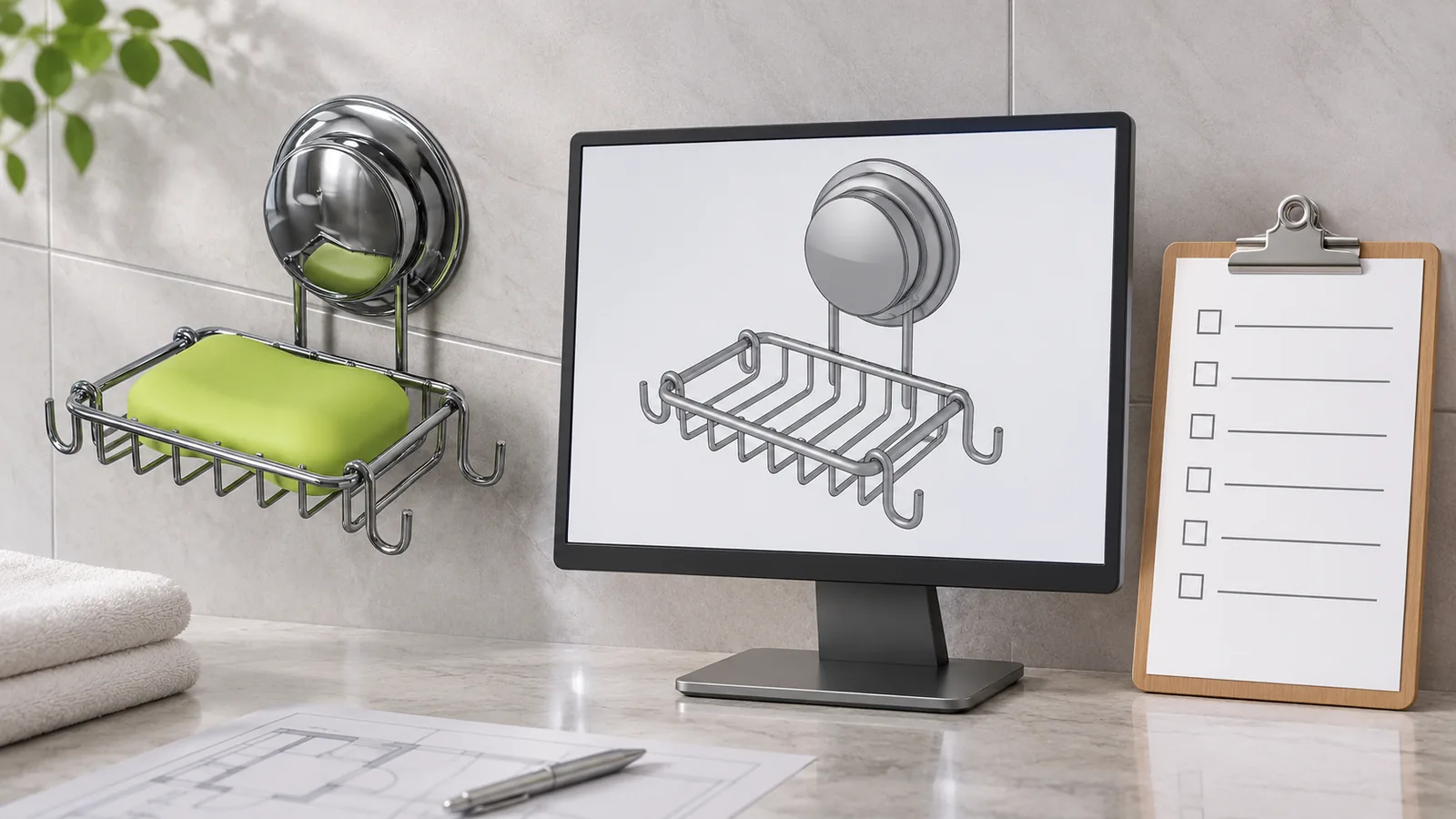
Bathroom accessories BIM objects can support spatial coordination, product selection and project documentation, but a model does not automatically prove that the edited dimensions, finish or mounting details correspond to an orderable product. Before RFQ, buyers should identify the object source and date, the selected product reference, the configuration represented and any parameters changed, then obtain supplier confirmation against an actual product record or approved sample. Treat digital geometry as project information with a stated purpose, not as a manufacturing drawing or an availability promise.
What decision does a BIM object help a buyer make?
A building information modeling object can help a project team represent a product in a digital building model. Depending on its purpose and authoring, it can contain geometry, product information, behavior or presentation data. It may help assess spatial fit or document a specified product. It is not automatically a quotation, technical submittal, fabrication drawing, structural calculation or supplier commitment.
For a buyer considering towel bars, shelves, baskets or coordinated bathroom accessories, the important question is whether the selected object corresponds to an obtainable physical product configuration. A generic object may stand in for a category item during early planning. A manufacturer object may identify a specific model. An edited or parameterized object may show a custom size, but that adjustment does not prove that the supplier offers the dimension or can manufacture it as shown.
This distinction prevents a project team from forwarding an attractive model file as if it were a complete RFQ. A BIM object may represent overall size but omit mounting plate dimensions, fastener positions, supplied accessories, finish limits or package details. A product family may offer multiple catalog variants, but the object’s editable parameters might not map to those options. A project buyer should verify the commercial reference and physical specification before pricing.
The National Building Specification (NBS) describes its BIM Object Standard as covering object information, geometry, behavior and presentation. That is a framework for object quality and consistency, not a blanket endorsement of a specific physical product or a statement that the object is orderable. Read the NBS explanation of the BIM Object Standard for that digital-content context. The project team still needs product-specific evidence.
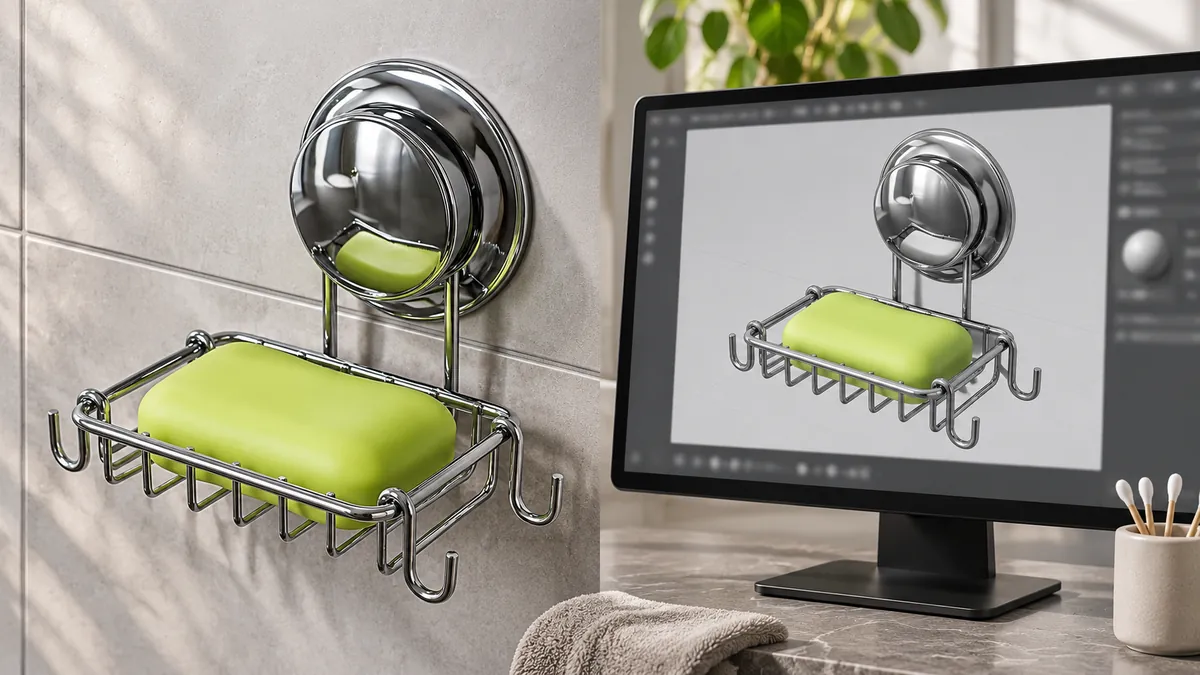
Compare model assumptions with the physical SKU, finish, mounting and package.
What is the difference between a BIM object, a CAD drawing and a product specification?
A BIM object is prepared for use in a model environment and may carry geometric and information properties. CAD drawings are typically used to communicate design or geometry in a drawing workflow. A technical data sheet describes product facts and requirements. A fabrication drawing gives detailed manufacturing information for a particular design and revision. These file types can overlap in some workflows, but they are not interchangeable by default.
A manufacturer resource library can list separate downloads for the same product line. For example, Bobrick’s current bathroom accessories resource table separates BIM object availability, CAD downloads and technical data. Its product rows show that a particular item may have one file type available while another column is blank. This is a useful illustration of separate document roles, not a claim that every manufacturer’s library follows the same structure. Review the manufacturer’s bathroom accessory BIM, CAD and technical-data listing directly.
| Information source | Common project use | What it does not prove by itself |
|---|---|---|
| Generic BIM object | Reserve space or represent a product category during early coordination | A named model, supplier, finish or available size |
| Manufacturer BIM object | Model a referenced manufacturer’s product when the object is identified and current | That every parameter edit maps to a catalog option or current stock configuration |
| CAD drawing | Communicate geometry or design details in a CAD workflow | Complete product data, price, packaging or manufacturing approval |
| Technical data sheet | Describe product-specific characteristics or requirements | The project’s selected option or current order acceptance |
| Fabrication drawing | Define a controlled manufacturing geometry and revision when approved | Project installation approval or channel/market suitability without the relevant review |
| Quotation/order confirmation | Record commercial scope and terms for an offer | That an unrelated model file matches the quoted item |
The file’s extension is not enough. A buyer should inspect who authored it, what product and revision it represents, how recently it was issued, what intended use is stated and what limitations apply. If the team cannot establish those points, the object may still be useful for coordination, but it should be marked as generic or provisional.
How can a buyer tell whether the object is generic or product-specific?
Start with the object metadata and the source library. Does it name a manufacturer, product series, model or catalog code? Does it link to a current technical data sheet? Does the manufacturer’s product page list the same dimensions, finish or options? Is the object dated or versioned? Are the parameters tied to selectable catalog variants, or can a user freely stretch geometry?
A generic object may be appropriate early in design, when the project needs approximate space, interface or access planning. The team should label it as generic and avoid representing it as an approved product selection. If procurement later needs a firm quote, the generic object must be reconciled to an actual product specification or replaced with a confirmed object and supporting documents.
A manufacturer object may be more specific, but the buyer still needs to verify its intended use and current status. A downloadable family does not prove that a product is currently available in every market, finish or size. A resource page may show CAD and technical-data files while leaving a BIM column blank for a particular product. The buyer should not infer an absent file or option from a nearby row.
A custom edit introduces another distinction. Suppose a project team changes a towel bar object’s length from the manufacturer’s nominal option to a custom value. The edit may be useful to test a layout. It does not prove that the supplier can provide that length, that the mounting points remain unchanged, or that the wall interface works. A supplier must review the actual requested physical configuration.
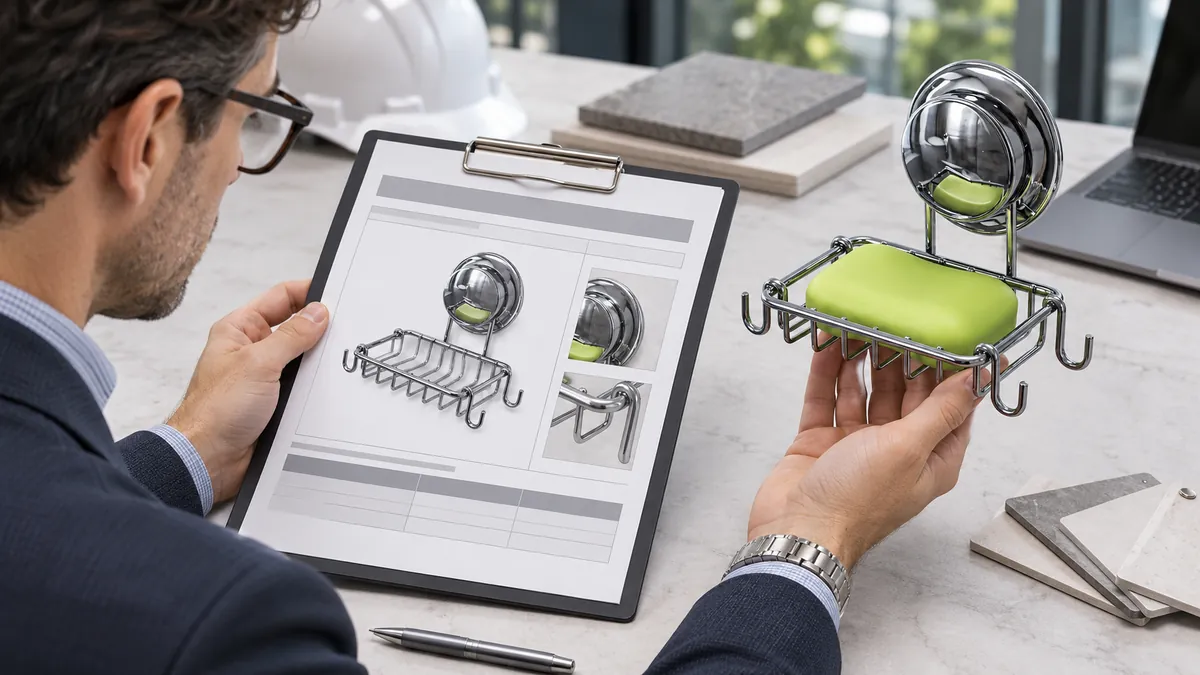
Use a controlled product reference or sample to resolve the model-to-order gap.
What should the model-to-order reconciliation table contain?
Use a table that connects each model assumption to a real product and an accountable decision owner. The purpose is not to add paperwork for its own sake; it is to expose an unverified parameter before it becomes a project commitment.
| Field | Record before RFQ | Why it matters |
|---|---|---|
| Model source and issue date | Manufacturer library, content platform, project model or generic source | Establishes provenance and age |
| Product reference | Manufacturer, family, model or “generic placeholder” | Separates named product from placeholder geometry |
| Selected type or parameter | Size, mounting, finish or accessory option used in the model | Identifies what the model actually represents |
| Geometry basis | Overall dimensions, clearances and model assumptions | Prevents a free edit from being mistaken for a catalog variant |
| Physical orderable reference | Supplier SKU, catalog code or explicit custom request | Connects the digital item to procurement |
| Finish and material | Exact released specification or unresolved requirement | Avoids inferring physical appearance from a rendered color |
| Mounting and contents | Plate, fasteners, template and included items | Captures interfaces and pack scope |
| Controlling drawing/sample | File, revision and approval status | Defines what the factory should quote or sample |
| Conflict or unknown | Difference between object and requested product | Makes uncertainty visible |
| Responsible owner | Designer, specifier, buyer, product supplier or project approver | Assigns the next action |
The buyer should not mark every field “confirmed” just because the model can display a value. A parameter can be entered without being a purchasable option. A finish color can be rendered without specifying the real finish reference. A mounting shape can be simplified for visualization. Record the source of each product fact.
If an object is being used only for space planning, state that purpose. If it is being used for tender or submittal, identify the supporting product documents and the applicable approval process. The level of confirmation should match the decision being made.
What does a parameter edit tell you—and what does it not tell you?
A parameter edit tells the model user that the digital representation has changed. It can help test a layout or show a proposed configuration. It does not automatically change the physical product, the supplier’s product range, its tooling or the approved sample.
Consider a towel bar model that is lengthened to fit a wall. That change could affect the bar span, mounting center distance, support position, packaging length and structural design. The buyer must identify which dimensions were edited and ask the supplier whether a matching product exists or a custom configuration should be reviewed. The model can visualize a proposal while the sourcing status remains “unconfirmed.”
A bathroom basket object may show an adjustable width. The actual product might have fixed wire geometry, fixed mounting plates and no telescoping mechanism. A project team should not infer a real adjustment feature from a flexible digital family unless the manufacturer documents that functionality.
A finish parameter may change the object display from chrome to black. The digital color switch does not define a coating system, plating process, gloss, texture, corrosion requirement or approved physical sample. The supplier needs a released finish reference and the buyer’s acceptance criteria.
These distinctions are especially important when a model is used by different project participants. A designer may use geometry to coordinate the wall layout; a contractor may rely on the specified mounting interface; procurement may treat a named product as a firm purchase choice. A small metadata label such as “generic”, “preliminary”, “selected” or “supplier-confirmed” can prevent those users from drawing conclusions the model does not support.
What should importers confirm with the supplier?
A supplier should receive a clear request that identifies the actual physical requirement. Attach the model only as context and state whether it represents a generic concept, a selected catalog product or a requested custom design. Provide dimensions, material/finish expectations, mounting, package contents, quantity, delivery context and any project specification.
Ask the supplier to confirm:
- Whether a referenced product is currently offered in the selected configuration.
- Whether the requested size or finish is a catalog option or a custom request.
- Which physical drawing, sample or product data controls the quotation.
- Whether the mounting interface and included parts match the project assumption.
- Whether a sample or additional engineering review is needed before release.
- Which product and packaging details are outside the supplier’s confirmed scope.
- Whether any change to geometry affects tooling, assembly, finish or packing assumptions.
The supplier’s response should identify the configuration and reference, not simply say “BIM available” or “yes, can do.” A quote should state its own product description, dimensions, finish, pack scope and revision basis. If the supplier proposes an alternative, document it as an alternative rather than silently updating the model.
Koitor Hardware can discuss drawing- or sample-based customization for confirmed bathroom and home storage metal hardware. That role supports a quote-specific feasibility discussion, not a claim that Koitor hosts Revit objects, certifies BIM files, authors digital twins or supplies every accessory shown in a project. The project team remains responsible for selecting the intended product and checking applicable design, access, safety and approval requirements.
What should a project buyer check before using a BIM object for RFQ?
Before requesting a quote, decide whether the object is a placeholder or an identified product. If it is a placeholder, give the supplier the actual physical requirements instead of asking the supplier to price the file. If it names a product, confirm that the manufacturer library still lists that product and that the model’s selected option matches the requested configuration.
Check dimensions using the correct datums. An overall size may not communicate center-to-center mounting distance, wall plate location, usable clearance or required access area. If a project relies on a critical interface, identify it explicitly and use a controlled drawing or product document where available.
Check the finish against a physical or written reference. A model render can support visual coordination but rarely describes all finish attributes. Clarify whether the project requires a specific product finish, a target appearance sample or a performance property; do not assume a rendered color proves the specification.
Check mounting and adjacent conditions. The object may show where a product sits but not the wall backing, substrate, fastener selection, sealing or installation sequence. Those aspects may need project-specific design and installation review. This article does not approve structural support, accessibility, load or code compliance.
Finally, record the decision status. Example statuses might include “generic placeholder,” “manufacturer object under review,” “configuration confirmed for quote,” “sample pending” and “project approved.” Use terms the project team understands and retain the approver and date.
How should buyers manage model and product revisions?
A model update can happen without a physical product change, and a physical product change can happen without an obvious visual change. Keep a model version and product revision field rather than relying on filenames such as “final-new-latest.”
If a supplier revises a mounting plate or fastener kit, ask the product owner whether the object, project schedule or installation documentation needs to change. If only a visual render or annotation changes, distinguish that from a change in the orderable product. If a project uses a manufacturer object with an older issue date, check whether the manufacturer has replaced or withdrawn it.
When a project moves from specification to purchase, freeze the approved order reference. Include the supplier’s SKU or custom specification, drawing/sample revision, finish, quantity and package contents. Then compare the accepted quotation to the model assumptions. A model file can remain in the project record as coordination evidence, but it should not be the only production instruction unless the supplier and buyer expressly agree on a controlled, usable format.
For larger projects, note which record controls each information type. The model may control spatial coordination; the technical data may control named product attributes; the approved drawing may control fabrication; the quote and order confirmation may control price and quantity. The project contract may specify precedence differently. Use the project’s own approved document-control rules.
What mistakes should buyers avoid?
Mistake 1: ordering directly from a generic object. A placeholder may show approximate geometry without a product or supplier reference. Identify an orderable item first.
Mistake 2: treating an editable size as a catalog option. Model flexibility does not prove that the supplier offers or has approved the value.
Mistake 3: using a rendered finish as a finish specification. State the real material and finish requirement and approve a physical sample where needed.
Mistake 4: assuming a BIM object replaces a fabrication drawing. The required manufacturing information depends on the product and agreed workflow. A model should not be assumed to include production details.
Mistake 5: assuming all products in a library have all file types. Manufacturer resource tables may list BIM, CAD and technical data separately, with some options unavailable for particular items.
Mistake 6: assuming model presence proves compliance or safety. A digital object does not itself establish project approval, structural suitability or applicable code compliance.
Mistake 7: sending conflicting documents with no precedence. If the model, drawing, sample and specification disagree, identify the controlling source and resolve differences before quote or manufacture.
Mistake 8: confusing model revision with product revision. Record both; a new family version may not mean a physical product changed, and a physical revision may not be represented in an old object.
How can Koitor support a bounded product review?
A buyer can provide Koitor with a lawful drawing, physical sample or controlled product description and indicate which details came from a BIM object. The factory can discuss whether the requested physical construction, finish, size and packaging are within its confirmed metal hardware scope and what information is needed before quotation. Any actual customization, sample development or quantity commitment remains quote-specific.
The buyer should not ask the factory to approve the whole building model, determine project compliance or certify an object standard. Koitor is not being represented as a BIM authoring service or a structural designer. If the product is outside the factory’s confirmed capabilities, the buyer should route it to a qualified supplier.
For project submittal stages, use the separate commercial washroom accessory submittal checklist. For closeout responsibilities after installation, see the guide to maintenance data and project handover. These are adjacent stages; they do not replace the model-to-order reconciliation described here.
Buyer checklist before RFQ
- Mark the object as generic, manufacturer-specific or project-edited.
- Save the author/source, issue date, named product reference and version.
- List every parameter that was changed and who approved the edit.
- Verify dimensions, measurement datums, finish, mounting and included parts.
- Match the object to an orderable product code or a clearly stated custom request.
- Attach a controlled drawing or approved sample reference where needed.
- State what the object is being used to support: space planning, product selection or RFQ.
- Confirm availability and configuration with the product supplier.
- Assign project, product, buyer and supplier owners to unresolved items.
- Keep structural, installation, safety and code review with qualified project roles.
- Reconcile the quote and order confirmation to the approved physical configuration.
For bathroom accessories BIM objects, distinguish a generic placeholder from a named, current manufacturer product. When reviewing bathroom accessories BIM objects, identify edited parameters and confirm each physical option with the supplier. For RFQ, bathroom accessories BIM objects should be reconciled to an approved product reference or custom request.
Frequently asked questions
Does a BIM object prove that a bathroom accessory can be ordered?
No. It may represent a generic category item, a manufacturer product or a project-edited concept. Confirm the exact product reference and configuration with the supplier before treating it as orderable.
Can a buyer stretch a BIM object to a custom size?
A user can edit geometry in some modeling families, but that does not confirm the supplier can make the dimension. Send the requested physical size and interface to the supplier for review.
Does the BIM file replace a CAD or fabrication drawing?
Not automatically. Each file has an intended purpose. The buyer and supplier should identify which controlled document defines the physical product and what information is needed for manufacturing.
If the object shows a finish, is that the approved finish?
No. A rendered appearance is not a physical finish specification or sample approval. State the required finish and approve the reference under the project’s process.
Who confirms whether the product meets project requirements?
The project designer, specifier, buyer and responsible technical reviewers should confirm their respective requirements. The supplier can confirm only the product facts and evidence within its scope.
Work With Koitor Hardware
Use bathroom accessories BIM objects as a defined comparison in the buyer record, and keep its assumptions visible when the specification changes.
Confirm the Physical Hardware Behind Your Project Model
Send Koitor the controlled drawing or sample, selected dimensions, finish and mounting details, and identify any model assumptions. The factory can discuss quote-specific feasibility for confirmed metal hardware; project approval and model authoring remain with your project team.
For a useful bathroom accessories BIM objects review, record the product identity and the decision the measure is meant to support.
OEM / PRIVATE LABEL
Turn this sourcing guide into a product brief
Share your target product, size, finish, order quantity and packaging requirements. Your team receives a practical manufacturability review before quotation.


 English
 Español
 Português
 Français
 Deutsch
 العربية