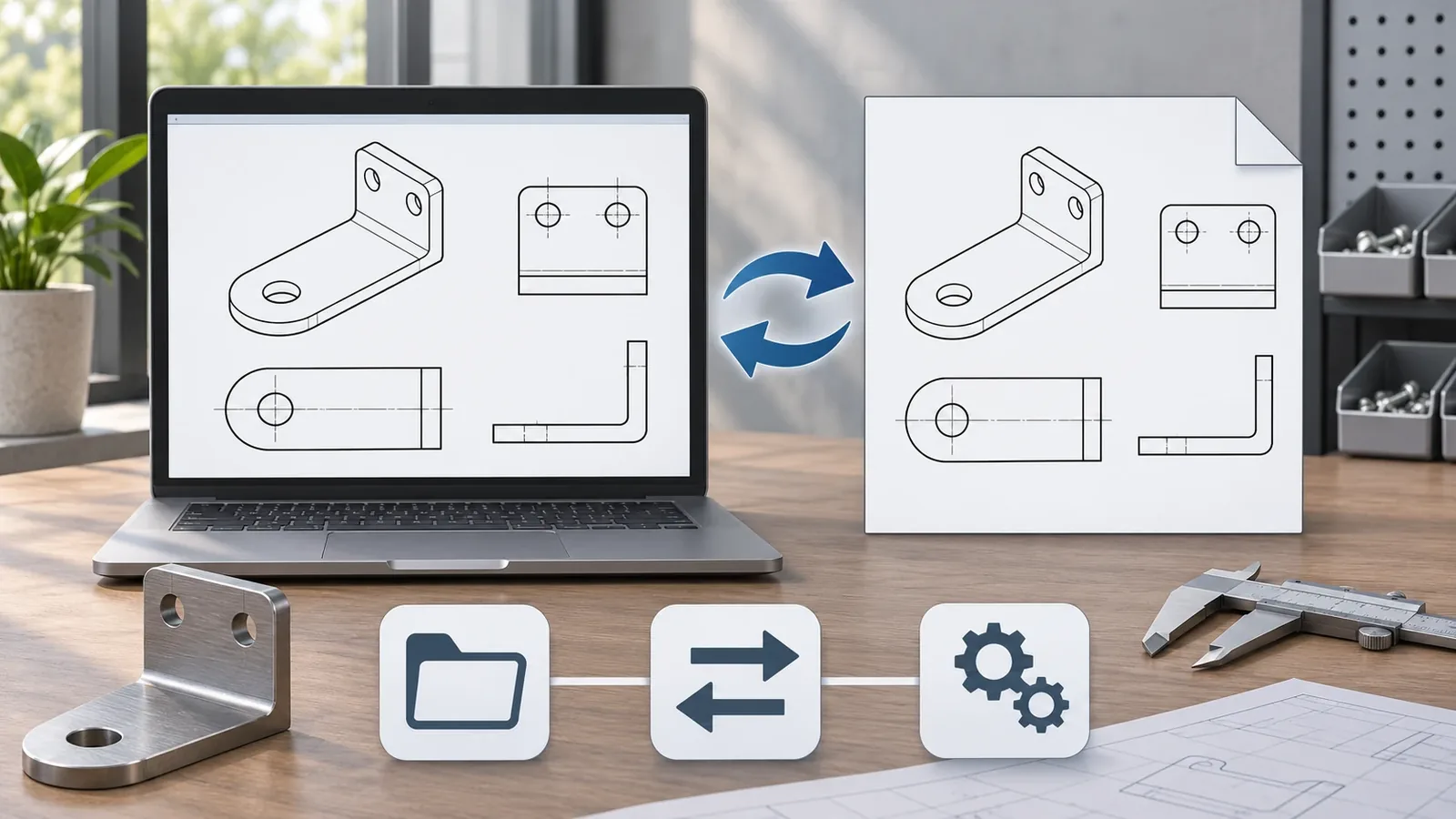
A DXF vs DWG decision compares two CAD drawing formats with different common roles. DWG is AutoCAD’s native drawing format and can store 2D and 3D drawing information; DXF is a documented format commonly used to exchange drawing data between applications. The file extension alone does not prove that a drawing is complete, current, correctly scaled, or supported by the recipient’s software. The central DXF vs DWG question is therefore what content the sender needs to preserve and what the recipient can actually use. Before a hardware buyer sends a CAD drawing to an OEM supplier, confirm the required format, application/version, included content, units, revision, and the purpose of the handoff.
For importers, product developers, and sourcing teams, this is a communication decision rather than a contest over which format is always better. A recipient may prefer the native file for a workflow and a neutral exchange file for another. Both can be useful when the parties agree what each file contains and which drawing or revision controls the project. Neither extension makes an incomplete drawing manufacturable or automatically verifies dimensions, tolerances, materials, finishes, welds, or packaging requirements.
What is the difference between DXF and DWG?
DWG is commonly used as AutoCAD’s native drawing format, while DXF is a documented drawing-exchange format. The useful distinction is their typical role and the data/application context, not a universal rule that one is always more accurate or more compatible.
Autodesk describes DWG as its native drawing format and notes that it can contain 2D and 3D drawing information. Its DWG overview contrasts DWG storage with DXF as an exchange option. This is an official description of Autodesk’s format context, not a guarantee that every application reads every object in every DWG file. Non-Autodesk programs may support DWG, but the specific application, version, and drawing content still matter.
Spatial’s DXF format overview describes DXF as a documented drawing format that can include drawing entities such as layers, blocks, and annotations, with ASCII and binary forms. That does not mean every DXF export includes every source object or that every recipient interprets all entities identically. Actual content depends on the source application, export settings, version, and receiving software.
| Buyer question | DWG | DXF |
|---|---|---|
| Common role | Native drawing storage in AutoCAD workflows | Drawing data exchange between applications |
| Possible content | 2D and 3D drawing information, depending on the file and application | Drawing entities such as geometry, layers, blocks, and annotations, depending on export and recipient support |
| Was ist zu überprüfen? | Application support, version, object types, references, units, and revision | Export version, entity support, text/fonts, layers, blocks, units, and revision |
| What the extension does not prove | Drawing completeness, manufacturability, correct revision, or universal compatibility | Lossless transfer, exact source equivalence, dimensional sufficiency, or universal compatibility |
The table summarizes common roles and questions, not a file specification or software test. A particular DWG or DXF should be opened and checked in the recipient’s actual workflow.
The receiving task changes what a useful handoff looks like. For an internal designer who must continue editing the source drawing, preserving the native file and its dependencies may be important. For a supplier who needs to inspect a profile or prepare a quotation, a supported exchange file plus a controlled PDF and written requirements may be more practical. For a manufacturing step that relies on selected geometry, the buyer and supplier should agree what entities and dimensions govern. These are different communication needs, so a format preference cannot be separated from the task.
If a supplier reports that one file is unreadable, do not immediately assume the drawing itself is wrong. Ask whether the issue is the file version, unsupported object type, missing reference, application setting, or a genuinely damaged file. Send a clear error description and the file identity through the project’s approved channel. Then agree on a suitable export or alternate view and verify that the new file corresponds to the intended revision.
When should a buyer send a DWG file?
A buyer may send DWG when the recipient requests the native drawing file or when the project’s agreed workflow depends on drawing content that the recipient’s CAD application supports in that version. The buyer should verify support before sending it and should not assume that the recipient has AutoCAD or can interpret every object.
A DWG can be useful when the source team needs to retain the drawing in a native workflow, continue editing it, or share application-specific drawing data. But a file that opens successfully may still contain missing references, unsupported objects, unexpected layers, hidden geometry, or an outdated revision. Confirm whether external references, fonts, blocks, layouts, and other linked content are embedded or need to accompany the file.
If the recipient cannot use the file directly, the sender may need to provide a supported export or a viewable drawing in addition to the DWG. That should be agreed with the receiving team rather than assumed. The original DWG should remain clearly identified as the source or controlled file if it is still authoritative.
For OEM quotation, also provide a PDF or written specification when those documents define dimensions, material, finish, tolerances, or acceptance criteria. A CAD drawing can show geometry, but a supplier should not infer unrecorded requirements from it. The buyer should identify which file governs if the CAD view and a PDF or email description conflict.
A DWG extension does not mean that the drawing is up to date or ready for production. Before sharing it, state the part or assembly name, project, revision, purpose, recipient, and any open items. If the drawing is preliminary, mark it as such so it is not treated as an approved manufacturing release.
Before sending a DWG, the buyer can ask the recipient to name the application or workflow in which the file will be opened. If the recipient needs editable drawing objects, confirm that the file and version are supported. If the task only needs a visual review, a PDF may be enough for that specific step, while the native drawing can remain the controlled source. The buyer should not send a file type just because it is familiar to the sender; agree on the review task first.
A DWG handoff should also identify whether the drawing uses external references, fonts, linked images, or blocks that the recipient needs to see. If these dependencies are relevant, clarify whether they are included, bound, or provided separately according to the chosen workflow. The purpose of this question is not to prescribe a particular application command, but to prevent a recipient from seeing an incomplete drawing without knowing that related files were missing.
When is DXF useful for drawing exchange?
DXF is useful when the parties agree to exchange drawing entities through a documented format and the recipient’s software supports the relevant content. It is not limited to a simplistic “2D only” or “plain text only” description; DXF can exist in different forms and can contain different drawing entities depending on how it was exported.
For a buyer, the important question is not simply whether the file ends in DXF. Ask which version is expected and which entities the recipient needs. Layers, blocks, dimensions, annotations, units, and geometry may be handled differently by source and target applications. Some exports may use a text-based representation, while binary DXF variants also exist. Do not assume the file is a plain text document that can be safely edited with a text editor.
The recipient should confirm that the DXF import contains the intended geometry at the expected scale and orientation. If the file is used to communicate a cutting profile or other manufacturing geometry, the buyer and supplier should define which lines, arcs, layers, and dimensions are authoritative. This article does not prescribe an acceptable tolerance or claim that any DXF is ready for cutting, machining, or tooling.
A DXF can be a useful exchange derivative while the original drawing remains in DWG or another source format. The sender should identify the source file, export version, and revision relationship. If the DXF is revised later, the project record should make clear whether the change came from the original CAD author or was made in the exchange copy.
When a DXF is intended for a specific downstream step, describe that step and the required entities. A recipient may need linework, arcs, dimensions, text, layers, or other drawing content. The buyer should confirm which of those are needed and how any non-supported objects will be represented. A file that contains the outline but omits the annotation that explains a critical dimension may be insufficient for the intended review.
A DXF can also be misread if its units, origin, scale, or orientation are not stated or understood. Those issues should be checked after import using dimensions from the controlled drawing, not by judging the displayed size on screen. A visual match is helpful but does not replace the specified units and dimensions.
Does DXF preserve everything from a DWG?
No format extension by itself guarantees complete or lossless transfer between applications. A DXF export may preserve the content needed for a defined exchange, but unsupported objects, settings, version differences, fonts, external references, or application behavior can affect what the recipient sees.
When exporting, inspect the file in the receiving application or ask the recipient to confirm the import. Compare critical geometry and dimensions with the controlled source. Confirm units, scale, orientation, part count, visible and hidden layers, blocks, annotations, and external references where they matter to the project. If the model or drawing includes features the recipient cannot interpret, resolve those before using the file to make a quotation or production decision.
Converting a drawing is not the same as changing its extension. Renaming a DWG file to use a DXF suffix does not create a valid DXF conversion. A conversion or export must be performed with a suitable application or tool, then checked. Even a successful conversion does not prove exact content equivalence; the parties should inspect the output and document any omissions or changed representations.
File size is also not a dependable proxy for accuracy or completeness. File size can vary with drawing content, objects, encoding, settings, and software behavior. A claim that one format is always a fixed percentage smaller or more accurate would not be suitable as a universal buyer rule.
What should a hardware buyer check before sending a CAD drawing?
A buyer should check the drawing identity, recipient requirements, file content, and project purpose before sending a DWG or DXF. The check should connect the drawing to the correct component and revision and identify what information is supplied elsewhere.
A practical pre-handoff sequence is:
- Confirm the project, part or assembly name, drawing number, revision, and approval status.
- Ask the recipient which format and application/version they can use for the intended task.
- State whether the recipient needs the native drawing, an exchange copy, a viewable PDF, or more than one of these.
- Confirm units, scale, orientation, sheet or layout, visible layers, blocks, and external references that matter.
- Check that the file contains the intended components and that critical dimensions or interfaces are clear.
- Identify material, finish, tolerances, weld details, and packaging requirements that are not defined by the drawing geometry.
- Tell the recipient which document controls if the CAD file, PDF, sample, or written note differs.
- Keep the source file and label any export or conversion derivative with its origin and revision.
- Ask the recipient to confirm what was opened, which content was reviewed, and any limitations found.
- Record open questions and do not treat a preliminary drawing as a production release.
The appropriate level of review depends on the project. A concept exchange can be lightweight, but a quotation, sample, tooling, or production decision needs the right controlled information. The receiving team can report application or import issues; the buyer remains responsible for the approved design requirements unless the project agreement explicitly assigns responsibilities differently.
For a quotation, it helps to distinguish what the drawing depicts from what the buyer expects the supplier to make. A supplier may review an outline and identify questions, but a quote should not be read as acceptance of every unshown dimension or specification. Mark critical edges, holes, bends, mating interfaces, finish faces, and open dimensions when they matter. If the source file includes alternative configurations, tell the recipient which one is in scope.
Revision management is equally important when a design changes after quotation. Keep the old file identifiable, issue a new revision, summarize the changed features, and ask the supplier to confirm that the revised drawing was received. If both a DWG and DXF are provided, state whether they are exports of the same revision and which one governs. That avoids an accidental mix of a new native drawing and an older exchange copy.

How does a CAD file relate to an OEM quotation?
A CAD file is one input to an OEM discussion, not a complete quotation specification by itself. A drawing exchange is most useful when the sender also states what feedback is requested: file-open confirmation, geometry questions, preliminary quotation, sample-development review, or a controlled production release. These are not interchangeable approvals. A recipient can confirm that a file opened without confirming that its dimensions, material, finish, and tolerances satisfy the buyer’s intended product requirement. The supplier needs to understand what the drawing controls and what requirements the buyer expects to be confirmed separately.
A sheet-metal or wire-hardware project may involve a 3D model, 2D drawing, flat pattern, sample, specification, finish reference, and packaging instruction. Each item can answer a different question. The buyer should identify the relationship between them and state which one is authoritative for geometry, manufacturing dimensions, appearance, and acceptance. Do not assume that all files are synchronized just because they share a part number.
The established guide on STEP, DXF, and PDF roles in a sheet-metal RFQ covers the broader multi-file package and flat-pattern authority question. This page stays focused on the differences between DWG and DXF. It does not recommend replacing the RFQ guide with a single format checklist.
For a custom product, specify whether the drawing is preliminary, for quotation, for sample development, or approved for production. Identify any dimensions that require buyer confirmation. If the supplier raises a manufacturability question, document the proposed change and obtain approval before revising the controlling file. This helps prevent a converted exchange copy or an old revision from becoming the unintended source of truth.
What can Koitor Hardware confirm during a drawing exchange?
Koitor Hardware is a family-owned custom metal hardware factory focused on bathroom and home-storage products. Its approved profile supports drawing- and sample-based development and practical discussion of manufacturing considerations such as forming, welding, finishing, assembly, and packaging preparation.
That profile does not establish which CAD software Koitor uses, which DWG/DXF versions it accepts, whether it offers drawing conversion, or whether every file can be quoted without a separate review. Buyers should confirm the required file type, project scope, and receiving task with the relevant project contact.
The buyer can provide the current drawing, a physical sample where relevant, material and finish requirements, order stage, and any unresolved dimensions or interfaces. The project team can then discuss the available information and what needs clarification. This is not a guarantee that any file is complete, that Koitor provides a conversion service, or that an imported file has been approved for production.
Learn about the OEM home-storage hardware manufacturing context und Kontaktieren Sie Koitor with the drawing revision, intended review task, and project requirements.
Frequently asked questions about DXF vs DWG
Is DXF only for two-dimensional drawings?
No. DXF can contain 2D and 3D entities depending on the source and export. The specific content and how it is represented must be checked in the receiving application.
Is every DWG file proprietary to AutoCAD and unreadable elsewhere?
DWG is AutoCAD’s native drawing format, but other applications may support it. Compatibility still depends on the recipient’s software, version, and file content.
Is DXF always a text file?
No. DXF has ASCII and binary forms. Do not assume that every DXF is a plain text file or that editing its text directly will preserve the drawing.
Is DWG always smaller than DXF?
No universal file-size rule should be assumed. Size depends on the actual drawing, objects, format variant, export settings, and application behavior.
Does a DXF prove a drawing is ready for manufacturing?
No. The file does not establish revision approval, complete dimensions, material, finish, tolerances, or manufacturing readiness. Those requirements must be specified and reviewed separately.
Can I change a DWG into DXF by renaming it?
No. Changing the filename extension is not a file conversion. Use a suitable export process, then verify the resulting file in the receiving workflow.
Should I send both DWG and DXF?
Send both only when each has an agreed purpose and the parties know which one controls. If they differ, identify the revision and resolution path rather than leaving the recipient to choose.
Buyer checklist before sending a drawing
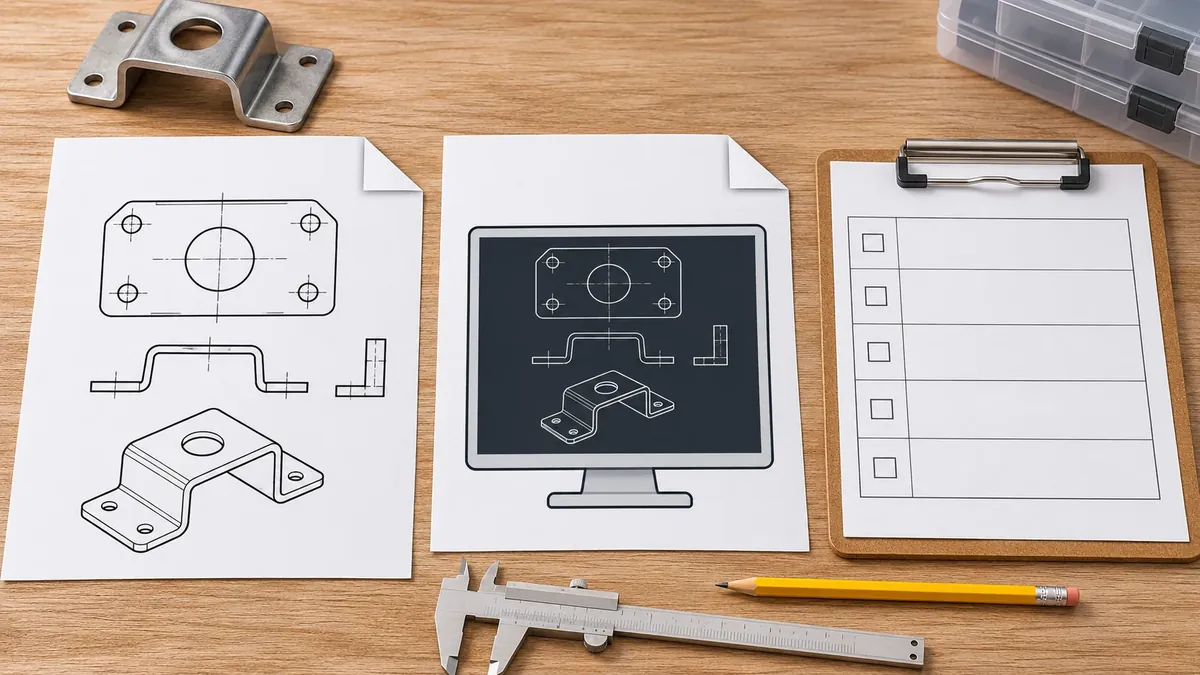
- [ ] Confirm part identity, drawing number, revision, and approval status.
- [ ] Confirm the recipient’s accepted format and software/version for the task.
- [ ] State whether the file is native, exchanged, preliminary, or production-controlled.
- [ ] Verify the import scale, units, orientation, layers, blocks, and needed references.
- [ ] Compare critical geometry with the controlled drawing or approved sample.
- [ ] List material, finish, tolerance, weld, and packaging requirements separately where needed.
- [ ] State which file controls if DWG, DXF, PDF, or sample information differs.
- [ ] Preserve the original source and label the exported derivative.
- [ ] Ask the recipient to confirm the imported content and review limits.
- [ ] Record open questions before quotation, sampling, tooling, or release.
This checklist supports clear communication; it does not validate a drawing or substitute for project approval.
Need Help Preparing a Drawing for OEM Review?
Share the current drawing revision, file format, sample if available, material and finish requirements, and the review task. Koitor can discuss the manufacturing context and confirm what project information needs clarification before quotation.
OEM / EIGENE MARKE
Verwandeln Sie diesen Beschaffungsleitfaden in ein Produktdossier
Teilen Sie uns Ihr Zielprodukt, die Größe, die Oberflächenausführung, die Bestellmenge und Ihre Verpackungsanforderungen mit. Ihr Team erhält vor der Angebotserstellung eine praxisorientierte Prüfung der Herstellbarkeit.


 English
 Español
 Português
 Français
 Deutsch
 العربية