
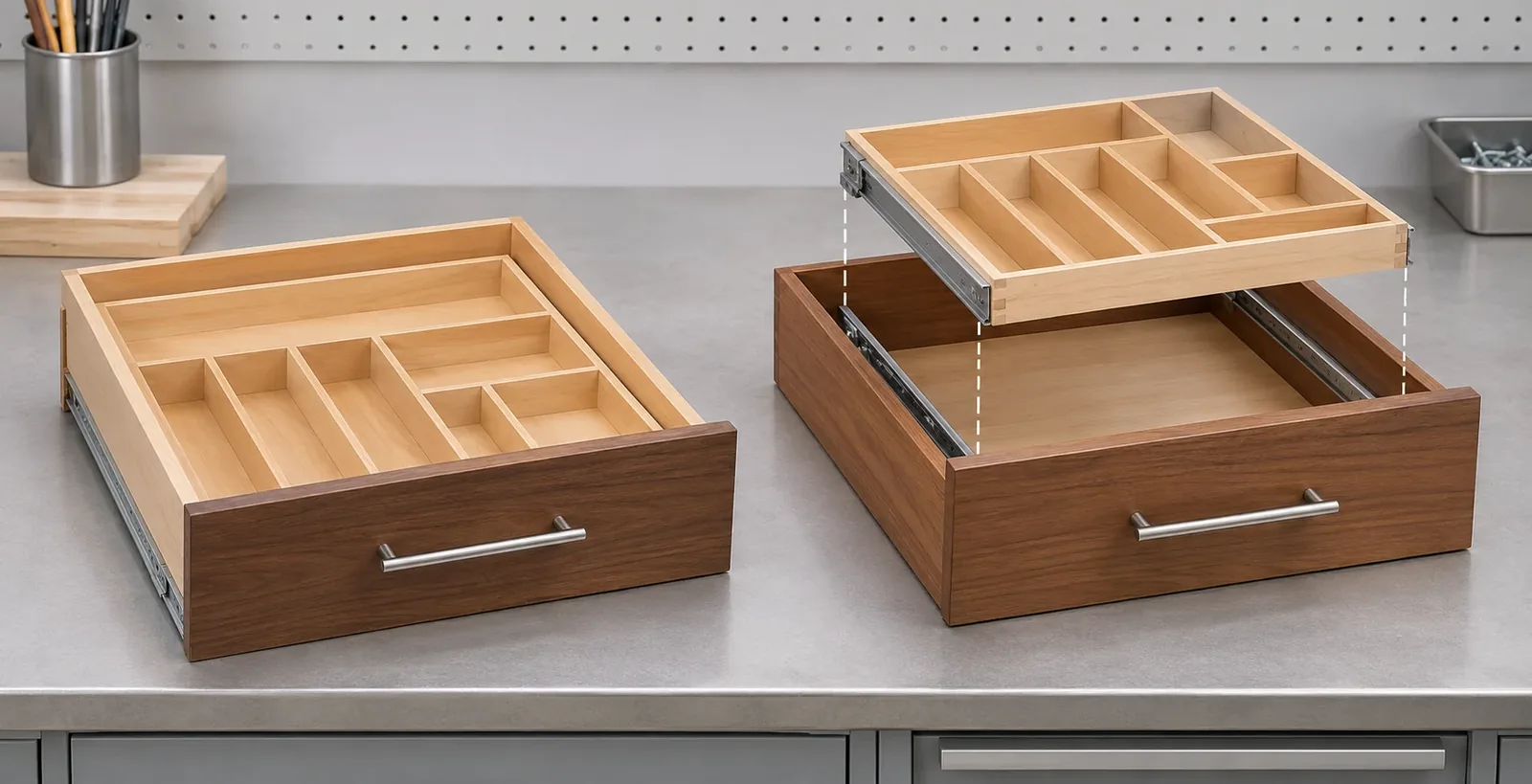
For a drop in drawer insert vs replacement drawer, the quote should state whether the buyer retains the current box, front and cabinet runners, and whether any internal tray slide is supplied.
Short answer: A drop-in organizer insert can use the buyer’s existing drawer box, while a replacement-drawer system may replace that box and add an internal moving tray. Those are different supply scopes. Before comparing quotes, identify what remains, what is replaced, whether the drawer front is included, and which slide set serves each moving assembly. “Slides included” is incomplete unless the supplier says which motion path the slides belong to.
The exact question behind drop in drawer insert vs replacement drawer is: which parts of the current cabinet arrangement does the proposed product keep, and which parts does it replace? The answer affects quote comparability, sample approval, installation responsibilities, return handling, and what the buyer can promise in a product listing. The term “drawer organizer” alone does not define the box, front, cabinet runners, internal tray, clips, or hardware included in the purchase.
This guide uses two named Hardware Resources product families as examples of different architectures. One is a drop-in organizer designed to sit in an existing drawer; another is a replacement drawer assembly with a separately moving internal tray. These specific examples help identify scope. They do not establish a universal cabinet standard, prove that any existing drawer slide can be reused, or show that a wood product’s dimensions or performance transfer to a metal design.
How to compare a drop in drawer insert vs replacement drawer
A drop-in insert is normally discussed as an organizer placed inside a drawer the buyer already has. The existing drawer box and its relationship to the cabinet remain part of the installation context. Depending on the selected product, the insert may be secured, positioned, or adjusted in a maker-defined way. Hardware Resources’ KCCO coffee-pod organizer is one named example: its product page presents an insert used within a retained drawer box. Its directions and any allowed adjustment belong to that specific model and material; do not convert them into general rules for other inserts.
A replacement drawer changes the boundary. The supplier may provide a new box or frame, and the buyer must decide which external parts remain, which are supplied, and which interface with the cabinet. Some designs also add an independently moving internal tray. The KNCD product page and its linked instruction manual show this as a distinct assembly arrangement. The cabinet runners that move the main drawer relative to the cabinet and the smaller slides that move the upper tray within the drawer are not the same hardware path.
Those differences are easy to miss in a product listing. Two organizers can both have compartments, a tray, or a pull-out motion but still require different procurement decisions. A product photo shows visible parts; it does not establish whether the original drawer box, face, handle, cabinet runners, locking devices, or mounting brackets are supplied. The quotation and controlled product documents must state the scope.
For a category buyer, the distinction is commercial as well as mechanical. A drop-in organizer may be offered as an insert-only item, while a replacement system may have a different box, a front or front attachment, hardware, and packaging. Comparing only the price of each “organizer” ignores what is actually being purchased. Normalize the architecture first, then compare the cost and buyer responsibilities attached to each option.
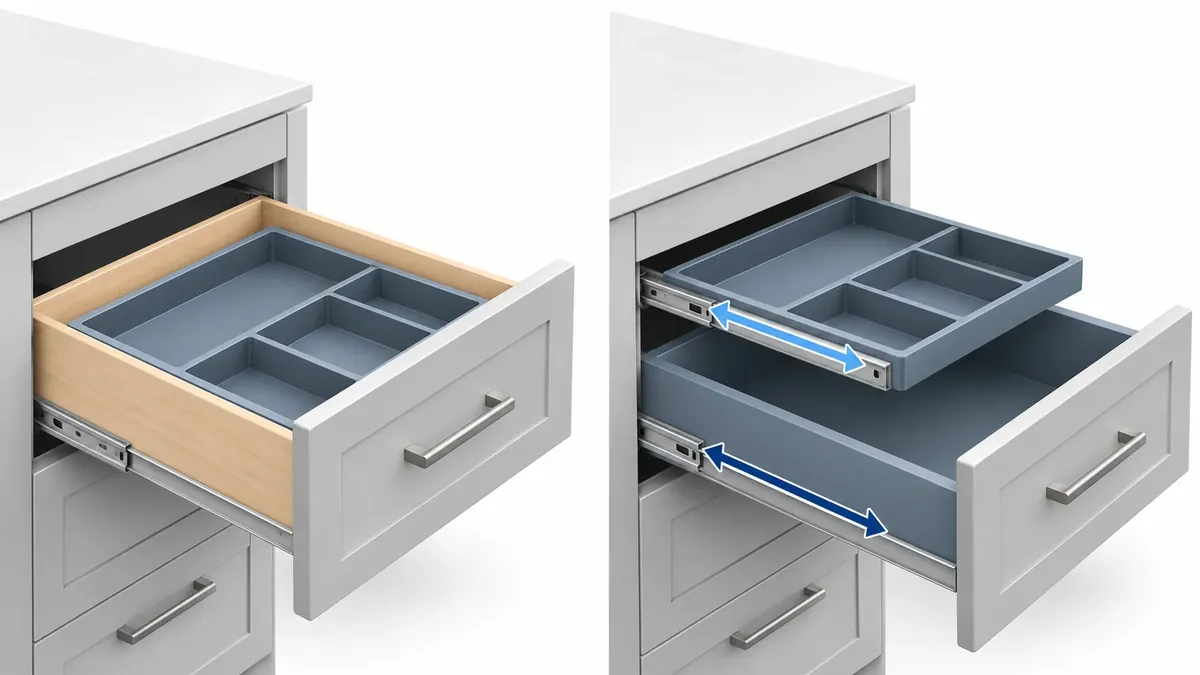
Map the retained and replaced parts
Begin with the current cabinet, not the catalog name. Draw or photograph the existing configuration and identify the cabinet opening, drawer box, front, handle, main runners, clips, locking or rear interfaces, and any internal organizer. Mark the parts the buyer expects to keep. If the proposed product supplies replacements, list them separately. This is a scope map, not an instruction to reuse any part; suitability must be confirmed against the selected manufacturer’s documents and sample.
The most useful question is often whether a component sits inside a moving assembly or supports a different motion. In a two-level system, the main drawer travels relative to the cabinet. An upper tray may travel relative to the drawer box. These motions have separate interfaces, different suppliers in some projects, and potentially separate installation or service needs. If a quote says “slides included,” ask whether that refers to the main cabinet runners, the internal tray, or both. Do not let a generic plural conceal a missing pair or an unverified interface.
| Scope item | Insert retained in existing drawer | Replacement drawer or two-tier system | Buyer record |
|---|---|---|---|
| Existing drawer box | Typically retained for the named insert architecture | May be removed or replaced, subject to the selected design | Retain, replace, or confirm |
| Organizer insert | Added to the existing box | May be integrated into the replacement box or offered as a separate tray | Exact part and supply status |
| Drawer front and handle | Usually remain part of the existing drawer unless the offer says otherwise | May be reused, separately purchased, adapted, or supplied | Identify the exact front and attachment scope |
| Cabinet runner pair | Part of the existing drawer-to-cabinet arrangement | May be retained or replaced; confirm model-specific instructions | Identify supplier, model, and compatibility evidence |
| Internal tray slides | Not applicable unless the insert has its own moving element | May be a second motion path in a two-tier design | Identify whether supplied and which parts mate |
| Clips, locking devices, rear interfaces | Depend on the existing drawer and chosen system | May be new, reused only with approval, or separate | List each interface and responsible supplier |
| Fasteners and packaging | Must match the chosen insert kit | Must account for the box, fronts, runners, tray, and parts | Confirm quantity and package-level contents |
Use terms such as retained, replaced, supplied, optional, separately purchased, customer-provided, and unresolved. Avoid one vague “included” column when different vendors supply different components. If an old front or runner is to be reused, identify its exact model and ask the responsible supplier to confirm the intended fit. A similar width or appearance does not establish interchangeability.
The table should follow the exact product family and revision being quoted. A distributor may have one insert that fits a defined drawer arrangement and a separate replacement system with a different box or internal motion. Do not apply one family’s dimensions, cutting instructions, or supply assumptions to another. If the supplier’s page omits a part, leave it unresolved until the supplier clarifies whether it is optional, customer-supplied, or not part of the item.
Read product pages and manuals as model-specific evidence
Hardware Resources’ KCCO product page describes a named drop-in coffee-pod organizer. It gives buyers an example of an insert architecture that uses a retained drawer box. Its construction and any product-specific fit or modification details apply to that named product; they are not design values for a metal tray or a different cabinet.
The KNCD replacement-drawer page presents a different product boundary. Its installation manual identifies the product-specific box, internal sliding element, and external hardware scope. The manual is useful for interpreting that maker’s configuration and instructions. It does not prove that another drawer’s front, runners, or clips can be reused, and it does not establish a universal drawer system.
Read the product page and manual together. A marketing page may show a finished arrangement while the instruction sheet clarifies which pieces are supplied, retained, or handled separately. Check the model designation and revision, then compare the diagram with the actual quote and sample. If the instructions use a component name that the sales material does not use, ask the supplier to reconcile the terminology in the BOM and listing copy.
Treat evidence according to what it can show. A product image can help identify a front, box, internal tray, or runner location. A manual can explain a named product’s assembly. Neither supplies dimensions or performance claims for a different design. A retailer listing may be useful for understanding how a product is presented to buyers, but use the manufacturer’s controlled documents for the exact technical scope. Do not infer that a product will fit because it resembles another product in a photograph.
When documents disagree, record the discrepancy and ask for a corrected source. Do not silently choose whichever statement makes the comparison easier. The approved response should identify which document controls the current offer, who confirmed it, and whether product data, packaging, or the sample must be updated. This protects a buyer from converting a provisional sketch or marketing image into an assumed production specification.
Compare quotations on equivalent scope
An insert and replacement drawer are not directly comparable until the buyer defines the deliverable. A low insert price may leave the existing box, front, main runners, and installation decisions with the buyer. A replacement system may include a new box but require separate front or cabinet hardware. A two-tier organizer may include internal tray slides while excluding the main cabinet runners. The labels alone reveal none of this.
Create a quote comparison table with one row per component or service. Include supplier item number, drawing revision, model, material or finish where relevant, quantity, included/excluded status, responsible supplier, packaging unit, and unresolved interface. Separate one-time tooling or engineering work from per-unit hardware if such charges appear in the supplier’s quote. Do not invent cost percentages or assume that one architecture is always cheaper. The buyer’s purpose is to compare the same scope, not to predict a universal price outcome.
Clarify whether the quote covers the product only or also the front, handle, cabinet runners, mounting clips, fasteners, installation instructions, labels, and retail packaging. If the buyer will supply any part, identify the receiving party and the reference sample. For multi-supplier programs, note who checks the mating interface and who owns the final compatibility statement. A replacement system that depends on an existing runner must not be described as a fully supplied set unless the evidence supports that description.
Here is a simple comparison framework:
- Architecture: insert in retained box, replacement box, or replacement box with a moving internal tray.
- Existing parts: list what the buyer expects to retain and the exact references.
- Supplier scope: list each new component and whether it is included in the unit price.
- Mating interfaces: identify which parts connect to the cabinet, box, front, or internal tray.
- Documents: tie the quotation to a model, drawing, revision, manual, and sample.
- Exceptions: mark unresolved supply, fit, or change-control questions before approval.
This comparison helps a team spot an apparent low price that covers fewer components or a more complete option that changes the procurement boundary. It does not make one design universally preferable. The best selection depends on whether the buyer intends to preserve the existing cabinet and drawer, replace a worn or incompatible box, or offer a more elaborate internal organization system.
The same scope discipline should carry into reorders and after-sales support. Save the approved component schedule with the SKU record rather than leaving it only in an initial email thread. If a distributor receives a replacement part request, the service team should be able to determine whether the item was an insert, a complete drawer, or a tray within a larger assembly. A photo of the assembled product may not show which drawer box or runner was supplied. Keep part numbers and revision references linked to the correct product family, and route questions about reused cabinet hardware to the supplier responsible for that interface.
When a supplier proposes an alternative part because of availability or a finish change, compare its function and interface to the approved BOM. A nominally similar slide, clip, or front attachment may belong to a different motion path or product revision. Request confirmation about what changes in the product description, carton count, installation notes, or sample reference. This is not a demand for unnecessary paperwork; it prevents purchasing, customer service, and product-data teams from describing different configurations under the same SKU.
For a private-label program, freeze the product boundary before translation and artwork. The user-facing package should not say that the organizer “replaces the entire drawer” if the box or runners are not included, and it should not say “drop-in” if the maker requires model-specific fitting steps that the buyer has not reviewed. Keep packaging statements within the verified scope. A product team can simplify the language for shoppers after the exact supply boundary is settled, but simplifying wording should not erase a material exclusion or a required compatibility check.
Approve the sample and package as one configuration
The sample should represent the selected architecture and the parts the buyer expects to sell or distribute. Photograph it with the model or item label visible. Record whether the existing box, front, main runners, internal tray slides, clips, and fasteners match the agreed list. If substitute parts are used during evaluation, label them as substitutes and do not use them to establish a final fit claim.
For a drop-in insert, confirm that the sample and package describe which drawer is retained, how the insert is positioned or secured for that named product, and which model-specific instructions apply. Do not transfer a woodworking instruction from a named insert to a metal insert. For a replacement box, identify the new box and any separate front or handle relationship. For a two-tier system, observe each movement separately and verify which slide pair belongs to the cabinet and which belongs to the inner tray.
The package list should make the boundaries clear. If the main cabinet runners are not included, say so. If an internal tray is part of the product but its slides are separate, identify the source and model of those slides. If a front can be reused only under a supplier’s specified condition, include the exact restriction and approval reference. Avoid a generic “fits standard drawer” statement unless an applicable standard or specific fit range is documented by the responsible manufacturer.
Use the following buyer review checklist:
- Identify the cabinet, drawer, model, revision, and proposed organizer architecture.
- Mark whether the existing drawer box remains or is replaced.
- Record who supplies the front, handle, main runner pair, clips, and locking interfaces.
- If the system has an internal tray, identify its separate motion and slide set.
- Compare the quote, controlled drawing, manual, sample, carton list, and product page.
- Mark all items as supplied, retained, optional, separately purchased, buyer-provided, or unresolved.
- Confirm that labels and instructions identify the same model and revision as the approved sample.
- Route any change to the box, runner, clip, front, tray, or finish through documented change review.
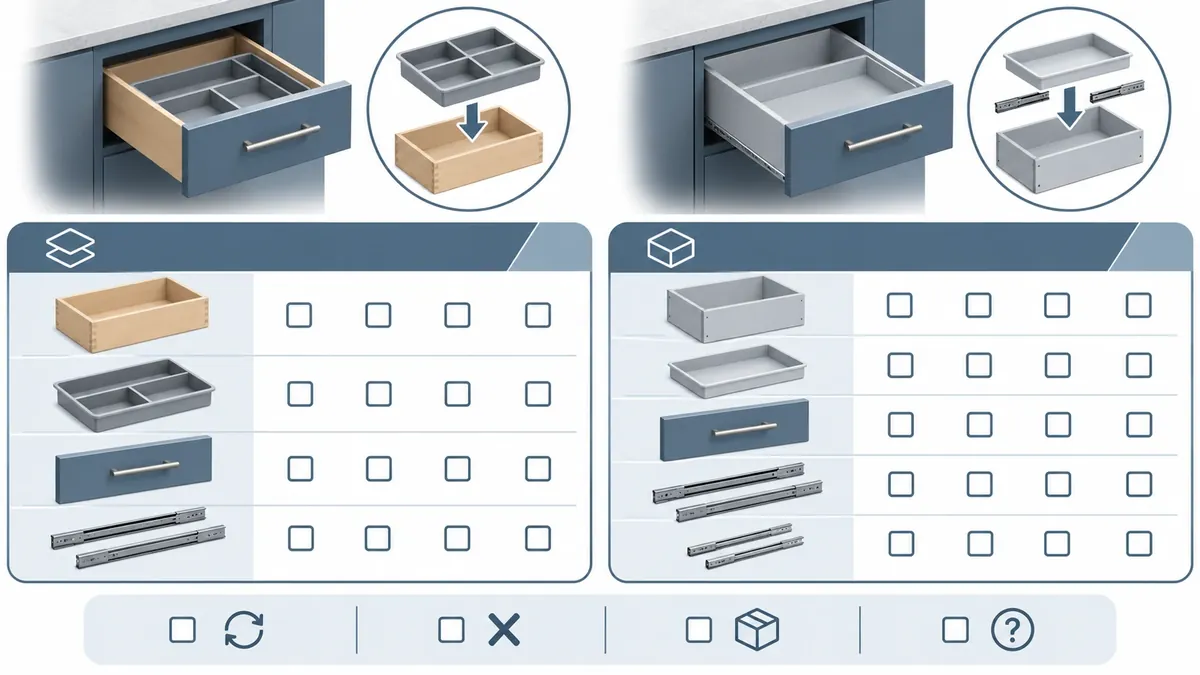
The sample does not prove future production consistency or a particular load capacity. It shows the configuration that was physically reviewed. If a supplier changes the box, slide, attachment, material, or package after approval, ask whether the change affects the drawing, instructions, compatibility, cost, or listing language. Keep the initial sample record and the revised record separate so that teams can trace what changed.
Questions buyers ask before ordering
Does “drop-in” mean the organizer needs no fitting or review?
No. “Drop-in” describes a product concept, not universal fit or a guaranteed installation method. Use the selected maker’s model-specific page and instructions, and confirm the relevant drawer dimensions and interface for that exact product. Do not reuse another maker’s adjustment steps.
Are the cabinet runners included with a replacement drawer?
Not automatically. The answer depends on the exact product and quote. Ask whether “slides” means the main drawer-to-cabinet runners, the slides for a moving internal tray, or both. Record each pair separately and identify its model or supplier reference.
Can the existing drawer front be reused?
Do not assume that it can. Confirm how the front attaches to the selected replacement box, whether any front or handle hardware is supplied, and what the manufacturer says about reuse for the exact model. Similar appearance is not proof of compatibility.
Does matching the outside drawer width prove fit?
No. The outer envelope alone does not identify runner interfaces, front attachment, internal tray motion, or required clearances. Confirm the complete assembly and the maker’s documented requirements for the selected system.
Is a two-tier organizer just a deeper insert?
Not necessarily. If the upper tier moves independently, it has its own motion path and potentially separate slides or attachments. That is a different architecture and should appear as a separate component and scope line.
Which information should accompany an RFQ?
Provide the existing cabinet and drawer references, a drawing or photographs, the desired retained/replaced parts, front and handle requirements, runner references, any internal tray concept, packaging needs, and the required product documentation. Ask the supplier to identify any unresolved mating interfaces before quoting a final set.
Sourcing takeaway
Choose the architecture before comparing prices. A drop-in insert can rely on a retained drawer box; a replacement-drawer system changes that boundary and may include an internal tray with its own sliding path. Identify the front, external runners, internal slides, clips, fasteners, instructions, and packaging individually. Tie each statement to the exact model, revision, source document, and sample. Leave any unconfirmed reuse or compatibility question open until the responsible supplier resolves it.
Koitor’s OEM home storage hardware page describes its confirmed metal hardware and project-review scope; it does not claim that Koitor currently manufactures wooden replacement drawer boxes or the named Hardware Resources systems. For a related metal organizer fit question, see the metal cutlery drawer organizer buyer guide. It addresses the envelope and compartments of an insert, while this guide focuses on the retained box versus replacement system and the two motion paths. Share an actual drawing or sample through the Contact page to confirm whether a defined metal scope is feasible.
Sources and scope notes
- Hardware Resources KCCO organizer: named drop-in organizer example; its fit, material, or adjustment details are not generalized.
- Hardware Resources KNCD replacement drawer: named replacement architecture.
- KNCD installation manual: model-specific parts and assembly evidence; not a universal drawer or slide specification.
- Koitor capability statements follow the approved brand profile and claims policy; wood machining and full replacement-drawer systems are not claimed.
Work With Koitor Hardware
Discuss a Home Storage Hardware Project
Send the current cabinet references, drawing or sample, retained hardware and proposed package list. Koitor can confirm the feasible metal-component scope before quotation.
OEM / PRIVATE LABEL
Turn this sourcing guide into a product brief
Share your target product, size, finish, order quantity and packaging requirements. Your team receives a practical manufacturability review before quotation.


 English
 Español
 Português
 Français
 Deutsch
 العربية