
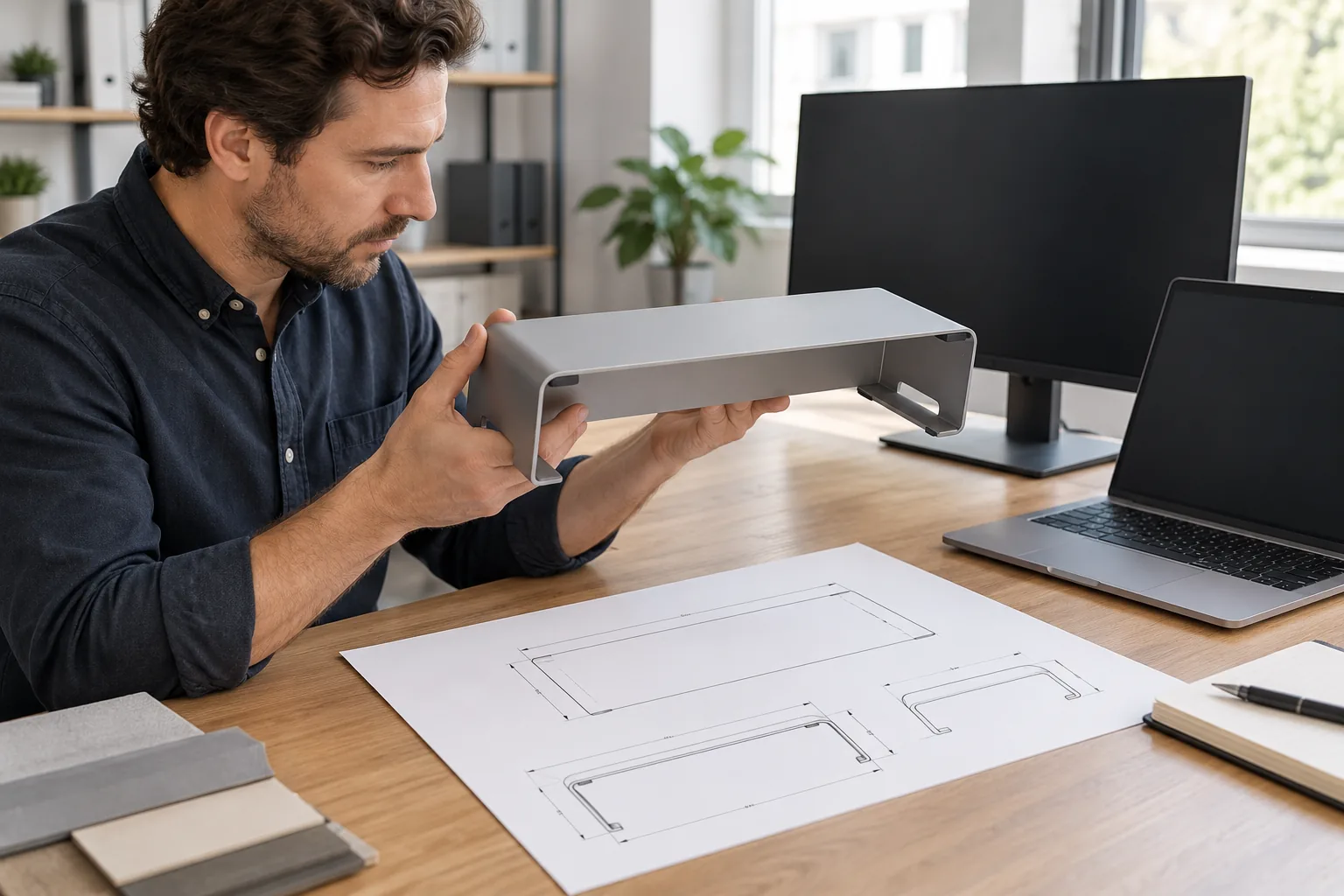
A metal monitor riser OEM brief should define the device footprint, usable platform, desk and under-shelf clearances, support geometry, finish, assembly and pack-out before the buyer approves a sample. “Monitor stand” is too broad to identify one configuration: a simple shelf, adjustable-leg platform, multi-tier stand and clamp-supported riser have different interfaces and package parts. The supplier quote, approved drawing and physical sample should point to the same design revision.
Manufacturer product pages show how model-specific the details can be. Eaton lists a particular freestanding riser with platform dimensions, adjustment positions, assembly notes, package contents and a stated capacity for that model. That information is useful as an example of fields to record; it is not a universal capacity or a result that can be applied to another construction. See Eaton’s MR1812M product specifications. Other supplier and product listings also vary in support geometry, materials and carton information.
This article helps importers prepare a specification and sample review. It does not set a universal load, stability or ergonomic requirement, and it does not claim that Koitor currently manufactures monitor risers or has product-specific testing for them. Koitor’s confirmed focus is bathroom and home-storage hardware; any adjacent desktop product capability must be confirmed before a project is treated as feasible.
Define the device and the desk envelope
Start with the device or device range the platform should accommodate. Identify the monitor base footprint or another named reference device, including its width, depth, contact points and any cable or stand features that extend beyond the main base. If a buyer intends to support a laptop, printer or multiple devices, specify that configuration separately instead of treating the product as interchangeable across uses.
Then define the available desk footprint. Give the desired overall width and depth, the required top surface area and the edge clearance that matters to the project. A platform that fits the device may still interfere with a wall, desk divider, lamp base, cable route or a second monitor. State whether the rear edge may be close to the desk edge and whether the product needs space for cables behind or beneath it.
Under-platform clearance is a separate dimension from total height. If a keyboard, laptop, notebook or small accessory must sit below the riser, define its maximum envelope and the access direction. Measure clear height at the limiting point between the desk and the lowest support member, not just to the upper surface. For a wide platform, show the clear width between legs or crossmembers so the buyer can check whether the intended item can slide underneath.
If the design is adjustable, list the available positions or range as a product requirement, then show where the top surface sits in each position. Ask the supplier to confirm the adjustment method and which parts are included. Do not copy another model’s height range or assume that two risers with a similar silhouette provide the same clearance.
Specify the support geometry and contact points
The drawing should show how the platform is supported: side frames, legs, crossmembers, folded sheet returns, rails or another construction. Identify the position and spacing of supports relative to the device’s base contact points. If the monitor has a narrow pedestal or broad feet, provide a drawing or reference outline so the supplier can check where the load-bearing contacts would land on the platform.
Name the intended construction only to the level the buyer has actually decided. A formed sheet platform, welded wire surface and separate-leg design involve different openings, edges, joints and assembly. If the supplier proposes an alternative, ask what it changes in the usable top, support locations, finish access, pack size or assembly sequence. A product photo does not show the underside or the way the legs attach.
Use plan and side views to record the platform envelope, thickness or section where relevant, support spacing, leg footprint, clear under-space, folded edges, attachment points and any adjustment hardware. Mark critical fit dimensions and provide datums. A tolerance should attach to a measurement that affects the device fit or assembly rather than being copied indiscriminately onto every feature.
Do not use a single material thickness or a “heavy duty” label as a substitute for design evidence. The platform shape, span, supports, joints, material and intended configuration all affect behavior. If a buyer requires a model-specific performance evaluation, define the sample, setup, load position and acceptance criteria with the responsible supplier and product team. The article’s examples do not set that requirement.

Describe the functional checks without inventing a rating
For a sample review, define the surface and setup used to observe rocking or movement. Record whether the sample is assembled according to the instructions, whether the desk surface is level, where the reference device is placed and which areas are observed. If a product-specific load evaluation is required, agree its method and pass criteria separately. A short demonstration with one item is not automatically a rated capacity test.
Ask the supplier to identify the exact model and revision behind any load claim. The record should describe the specimen, supports, device or load placement, method, duration or cycles if applicable, observed result and limits. A published rating from another product may differ because its platform size, leg layout, material, adjustment mechanism or test conditions differ. Do not use a headline number from a competitor listing as the target for a new design without a defined buyer requirement.
Function also includes the way the product is assembled and adjusted. Check whether legs, fasteners, crossmembers and pads are present and correctly oriented. Operate each intended adjustment position and note any binding, looseness or misalignment against the agreed sample criteria. If the product is one-piece, identify its non-removable components and any packaging protection needed for exposed edges or coating.
Confirm finish, feet and visible surfaces
Identify the finish and appearance standard the buyer expects. State color reference, gloss or texture where these are controlled, and which surfaces are most visible in the intended setup. Include the top face, underside, front edge, support legs and adjustment points if they are exposed. A powder-coat color name alone may not communicate the desired sheen or surface texture.
Check any feet or pads as defined components. Record their position, material description if known, quantity and attachment method. Confirm the package includes the declared parts and that the sample sits as intended on the review surface. Do not infer desk protection, non-slip performance or long-term wear resistance from appearance alone; if those properties matter, the buyer should define a suitable project-specific evaluation.
Inspect cut edges, folded returns, welds, fastener heads and cosmetic faces against the approved reference. Mark acceptable process evidence and areas that require a cleaner appearance. A smooth sample does not establish coating adhesion, corrosion performance or durability. If a test is required, identify the method, specimen preparation, acceptance criteria and reporting party separately from the sample’s visual approval.
Compare supplier quotes and sample evidence in one table
For a metal monitor riser OEM comparison, request that each supplier use the same device reference, desk envelope, support arrangement, finish and pack assumptions. This gives the buyer a consistent basis for comparing product scope rather than only comparing unit prices.
| Decision field | Supplier should confirm | Sample or record check |
|---|---|---|
| Device fit | Reference device footprint and permitted range | Base contacts fit on the usable top without overhang outside the brief |
| Desk envelope | Overall size, edge clearance, cable route and under-space | Measure top, support spacing and limiting clear height |
| Support layout | Leg/frame type, spacing, joints and adjustment configuration | Review underside, assembly, adjustment positions and declared setup |
| Finish and feet | Color/texture reference, visible faces and pad scope | Compare sample surfaces and count specified feet/accessories |
| Pack and assembly | Flat/assembled pack, fasteners, instructions and carton data | Confirm unit contents and packaging version match the drawing |
Before approval, check the part number and revision, then measure the overall platform and critical clearances from the named datums. Place the reference device in the intended position. Confirm that the defined under-space is available for the item or accessory the buyer named. Review support and contact points from below, inspect the finish and edges, and record any sample deviation with a photo and decision owner.
Use a separate evidence field for product claims. For example, distinguish “supplier lists a capacity” from “a report is available for the exact model” and from “the buyer accepts the claim for this program.” This prevents a quote, web listing or sample demonstration from becoming a broader performance promise in the product page or carton artwork.
Make assembly and pack-out part of the product revision
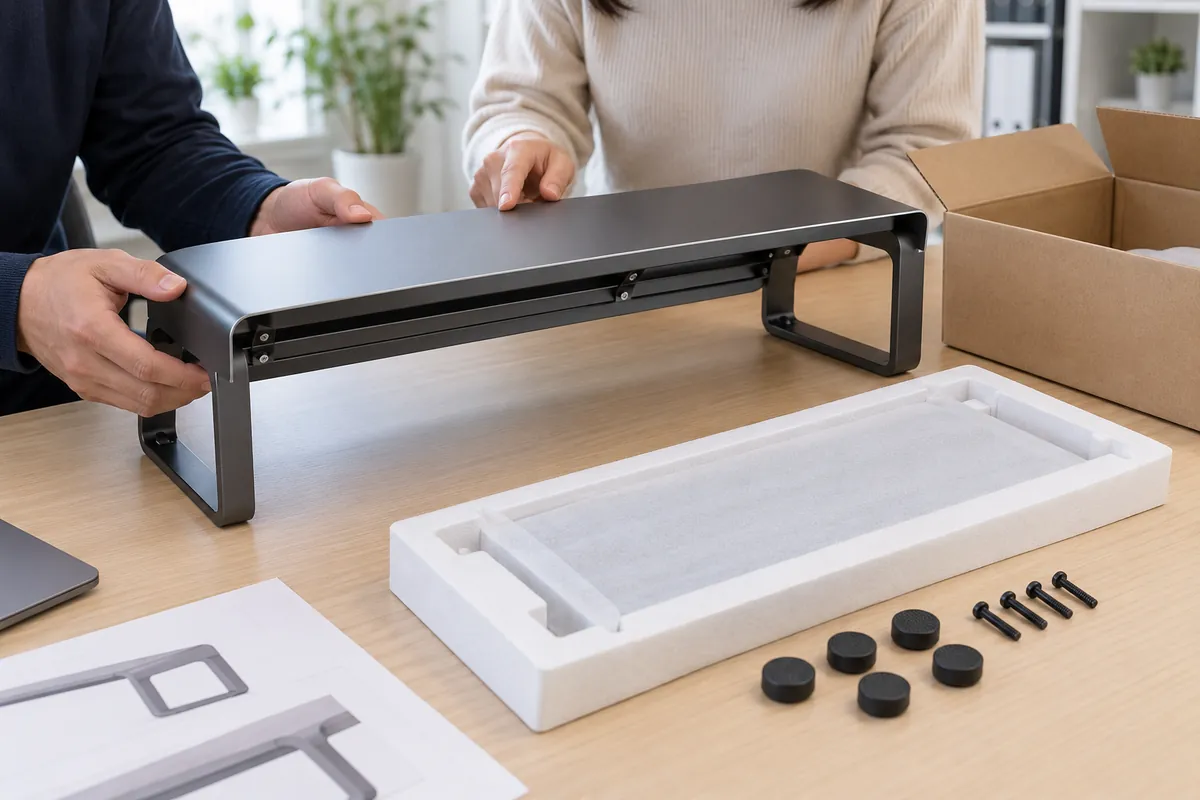
State whether the riser ships assembled, with detachable legs, or as a flat-pack kit. List fasteners, tools, pads, caps and instructions included in the unit. If assembly is required, the supplier should confirm the intended sequence and provide an instruction version that matches the sample. The buyer should try the approved sequence on a production-intent sample and record missing components or unclear steps.
Packing should protect the upper platform, exposed edges, coating and loose hardware from contact. Ask for a pack-out drawing or packed sample showing separators, sleeves, bags and the orientation of parts in the carton. Avoid assuming that a larger carton or more protective layers are always better; review the chosen pack with the actual configuration and shipment plan.
Record unit dimensions, master-carton dimensions, pieces per carton and weights for the exact SKU. For adjustable versions or different platform widths, map each product variant to its own carton and label. If the product image or instruction sheet shows hardware, pads or assembly parts, those should match the quoted configuration.
Control changes from sample approval through reorder
Keep the final drawing, approved sample photos, finish reference, bill of included parts, assembly instructions and carton data together under one revision. The record should identify the buyer’s reference device, the required desk envelope and the measurement points that were checked. Note accepted deviations explicitly instead of relying on an informal email or a photo without context.
If the supplier proposes a new platform gauge or shape, leg position, crossmember, adjustment part, pad, finish or packing method, ask which approved requirements may change. A replacement support can reduce under-shelf clearance; a different leg footprint can affect placement on the desk; a package revision can change how the finished face is protected. Review those effects before the change enters the next production run.
At reorder, confirm that the SKU and drawing revision match the approved configuration and that any model-specific claim still refers to the same product. If the buyer adds a wider platform, a second device footprint or a new finish, treat it as a variant with its own fit and pack checks. Visual similarity does not make two configurations interchangeable.
A buyer brief to send before requesting a quote
Include these details in the request:
- Product type: fixed shelf, adjustable riser, multi-tier structure or another defined design.
- Device reference: base outline, contact points, cable exit and any supported device range.
- Desk envelope: overall platform dimensions, edge clearance and available desk space.
- Under-platform needs: clear height and width, plus the named object that must fit below.
- Support configuration: frame/leg layout, contact locations, adjustment positions and assembly scope.
- Appearance: declared material/finish proposal, color and texture reference, visible faces and foot/pad details.
- Sample review: dimensions, fit positions, setup, finish observations and any separate performance evaluation.
- Pack-out: unit and carton dimensions, included hardware, instructions, protective arrangement and SKU label.
- Quote assumptions: quantity, substitutions, exclusions, revisions and open capability questions.
A metal monitor riser OEM conversation should align these inputs before the supplier prices a sample or the buyer approves a product claim. The requirement does not need an elaborate laboratory protocol if the buyer is only checking fit and pack contents; it does need to state what the sample must demonstrate and what remains unverified. This keeps the project decision tied to the evidence actually available.
Koitor’s OEM home-storage hardware overview describes its confirmed metal-storage context; it does not confirm monitor-riser production or product-specific load testing. Buyers can contact Koitor with the drawing, target quantity and sample requirements to confirm whether the project fits current capabilities.
Reviewing a Metal Storage Product Brief?
Share the device footprint, drawing, target quantity and pack requirements. Koitor can confirm whether a requested adjacent product fits its current metal-storage scope before any capability is assumed.
OEM / PRIVATE LABEL
Turn this sourcing guide into a product brief
Share your target product, size, finish, order quantity and packaging requirements. Your team receives a practical manufacturability review before quotation.



 English
  Español
  Português
  Français
  Deutsch
  العربية