
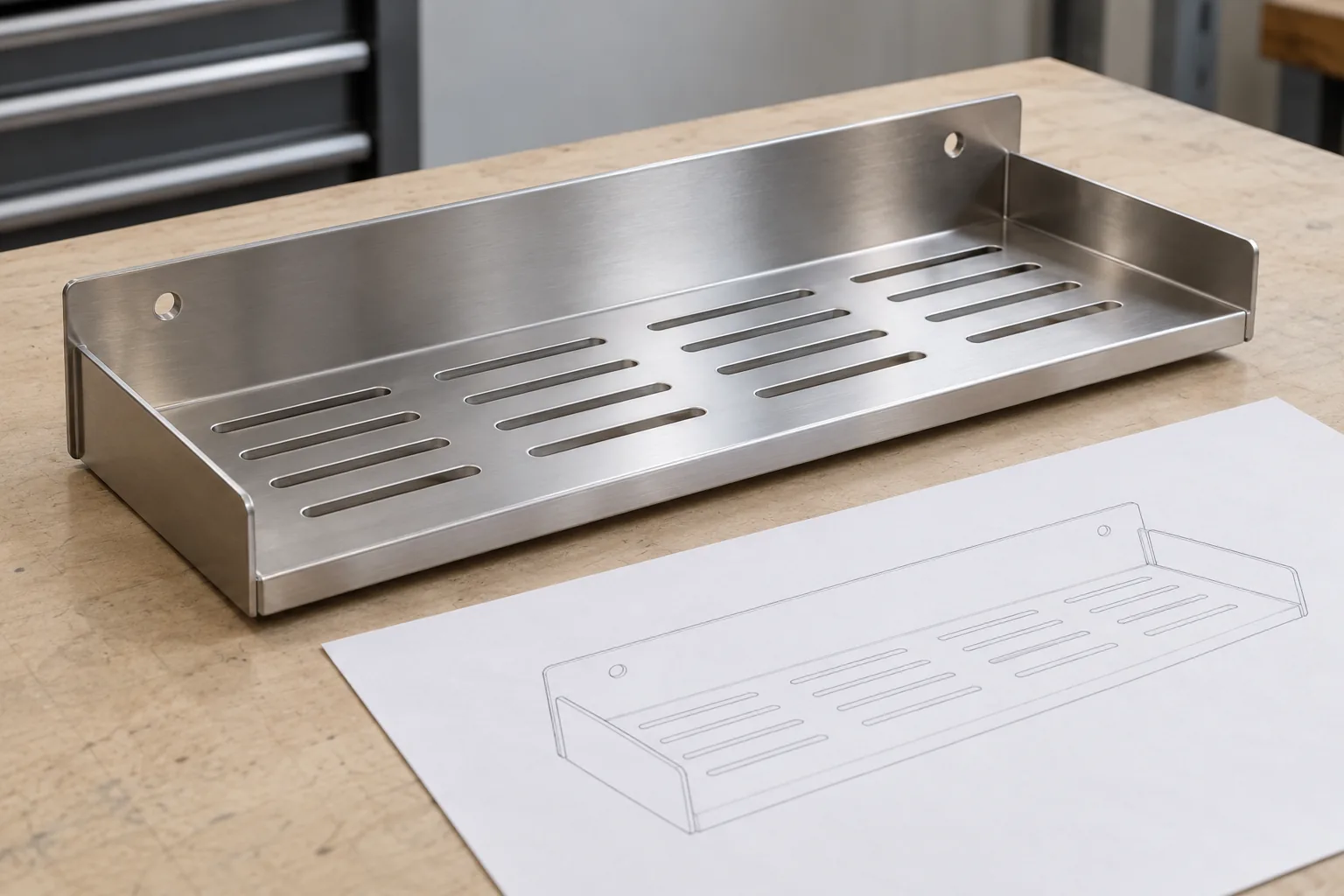
For sheet metal RFQ file formats STEP DXF PDF, a buyer should treat the 3D model, controlled 2D drawing, and optional flat-pattern file as complementary references—not interchangeable documents. A STEP model can communicate the intended three-dimensional form and assembly relationship; a dimensioned PDF can state requirements that are not fully defined by the model; and a DXF may help with a specific flat cut profile when the supplier requests or agrees to use it. Before sending files, state the revision, units, material, thickness, finish, critical dimensions, quantity, and any unresolved assumptions.
This short video shows the product or manufacturing context discussed in this guide.
No file format replaces a clear product definition. A 3D model without controlled requirements may leave finish, tolerances, assembly, and packaging unclear. A PDF drawing without a usable model may make folded geometry harder to review. A DXF can describe a 2D profile, but it does not by itself specify the finished formed shelf or its complete assembly. Ask the factory which formats it can review and how it will treat conflicting information; do not assume every supplier accepts the same native files or uses the same quoting workflow.
The phrase “sheet metal RFQ file formats STEP DXF PDF” is a compact search label, not a substitute for the buyer’s file index. The useful handoff names each attachment, states what it controls, and links it to the same part and revision.
Why one file rarely communicates the whole RFQ
An OEM quotation depends on more than the outline of a part. A formed bathroom shelf may have bends, mounting holes, drainage slots, a folded front lip, side returns, joined brackets, or a finish that changes which faces matter. A buyer needs to explain both the intended geometry and the requirements that govern the finished product. Multiple files can help, but only when their roles and revisions are unambiguous.
In its sheet-metal quoting guide, Protolabs distinguishes 3D CAD files for components or assemblies from 2D prints that provide detailed specifications and may require manual review. That describes Protolabs’ own quoting service, accepted file types, and workflow; it is not a universal timing or file-acceptance promise for other manufacturers. The general buyer lesson is to confirm a supplier’s accepted formats and still communicate the specific requirements needed for the product. A model is not automatically a complete manufacturing instruction, and a drawing should identify the critical features the buyer expects the supplier to quote and inspect.
This handoff is especially important when the product will be finished, assembled, or customized. A 3D shape may show that a rear flange exists, but the drawing may still need to define its location, hole pattern, finish, or relationship to a mating surface. A sketch can show what the buyer has in mind, but may omit dimensions or revision control. An RFQ email may mention “stainless shelf” without defining the intended grade, thickness, surface, or packaging. Treat these as separate information fields, not things a file extension can fill in automatically.
What a 3D STEP model should communicate
A neutral 3D model is useful when the supplier needs to understand the proposed finished shape or the arrangement of multiple parts. It can help visualize a shelf’s walls, bends, mounting features, slots, returns, clearances, and assembly relationships. For an assembly, include the relevant mating pieces or identify which components are supplied separately. If the model is a concept rather than production geometry, label it clearly so the supplier does not mistake it for a frozen release.
Before sending the model, check that it opens in the agreed software or neutral format, represents the intended revision, and does not contain hidden or obsolete configurations that could be quoted by mistake. Confirm whether the model represents the finished part, a simplified envelope, or a flat pattern. Include units and identify any critical dimensions that should not be inferred from a scaled visual. Avoid relying on screen measurements or assuming that every modeled edge is a controlled tolerance.
The model’s role is shape communication and spatial review; it may not capture every requirement. Material grade, sheet thickness, cosmetic faces, finish, coating exclusions, weld locations, hardware, tolerances, inspection approach, packaging, and labeling may need separate controlled notes or drawing callouts. Ask the supplier which information it expects in the model, drawing, quote form, or specification sheet. The answer can vary with its process and the project.
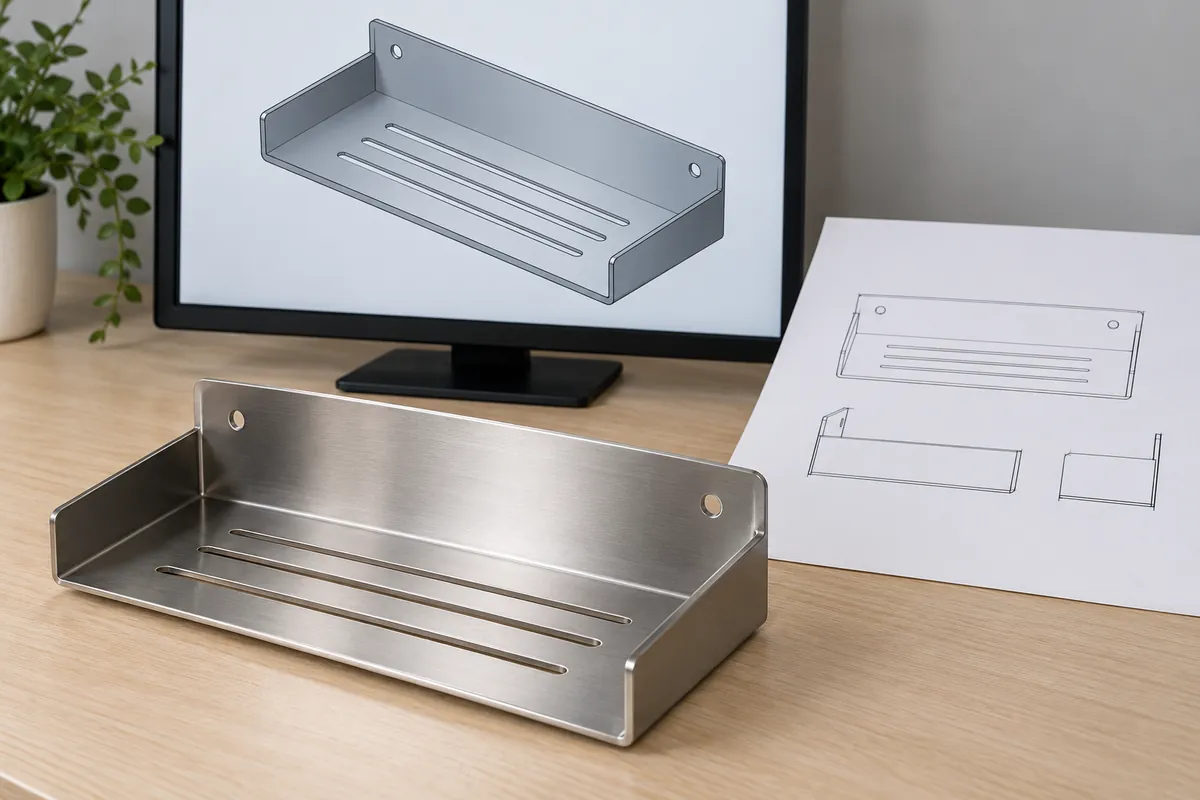
What the controlled 2D PDF should define
The 2D drawing is where a buyer can make dimensions and requirements explicit for quoting, sampling, and inspection. It should identify the part or assembly, drawing number, revision, units, projection method where relevant, and the views needed to understand the formed geometry. Use dimensions from agreed datums and distinguish overall dimensions from critical fit or mounting dimensions. If a feature’s location or tolerance affects installation or assembly, state it rather than expecting the supplier to infer it from the model.
For a formed shelf or bracket, consider which views show the unambiguous product: front, side, top, section, detail, and formed or isometric view as needed. The drawing may need to identify hole and slot locations, bend directions, flange lengths, radii where controlled, edge treatment, weld or joint locations, mating interfaces, and cosmetic faces. Not every design needs every view or a dense set of tolerances. Include the details that define buyer acceptance and let the supplier flag manufacturability questions before quoting.
The drawing or linked specification should identify material and finish requirements at the level the project has agreed. “Stainless steel” or “chrome” alone may be incomplete if the buyer has a specific grade, thickness, surface appearance, coating system, color, or protected area in mind. If the buyer is still comparing options, mark them as open questions rather than presenting an unapproved choice as final. Separate functional requirements from appearance preferences, and state who will approve the sample.
Protolabs’ sheet-metal guidance describes how proximity of holes or cutouts to bends, bend radius, and material relief can affect manufacturability. Its specific limits and design recommendations belong to that service and should not be copied as universal thresholds. For a Koitor RFQ, provide the intended geometry and ask the project team to review the design against its manufacturing approach; do not assume a numeric DFM rule from another supplier applies to every material or process.
When a DXF flat pattern is useful—and when it is not
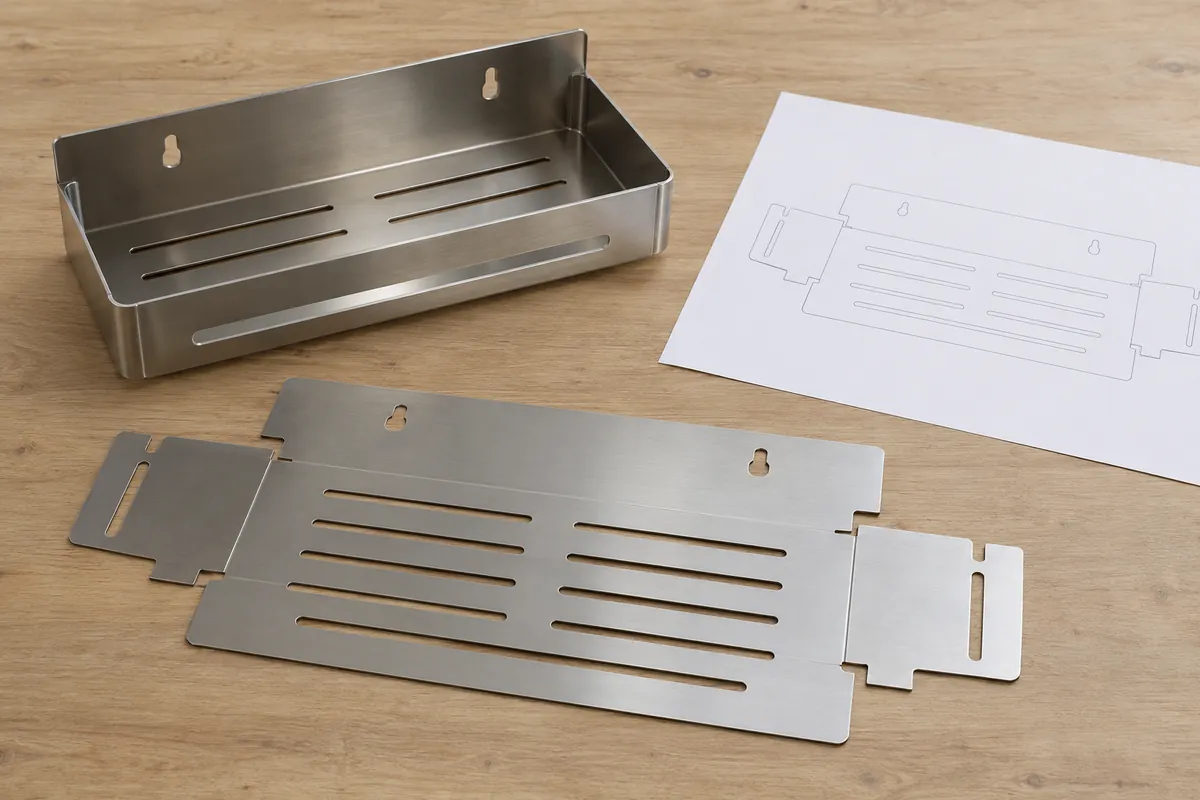
A DXF can be useful when the supplier requests a two-dimensional cut profile or when the project has agreed that a particular flat pattern is a controlled input. It may help communicate a profile before forming, but it usually does not describe the full three-dimensional shelf, assembly, finish, or inspection criteria. A DXF should therefore be linked to the same part identity and revision as the 3D model and drawing.
Do not send an unverified DXF as though it automatically represents the supplier’s final blank development. The flat pattern can depend on material, thickness, bend geometry, tooling, process assumptions, and the supplier’s own development method. A buyer-provided cut outline may be a starting reference or a fixed requirement, but the RFQ should say which. Ask the supplier whether it wants the file, whether it will use it as-is or review it, and how any agreed changes will be approved.
For a simple formed shelf, the supplier may prefer a 3D model and controlled drawing and may not need a separate buyer-created DXF. For a product with a specific cut profile, nested parts, or a defined development that the buyer controls, an agreed flat-pattern file can be useful. In both cases, verify that the DXF units, scale, layer content, geometry closure, and revision are clear. Those checks prevent a file from looking precise while leaving its intended use uncertain.
Resolve conflicts and missing specifications before quote approval
When a model, drawing, and DXF disagree, the supplier should not have to guess which one controls. Put a precedence rule in the RFQ or resolve the conflict before the quote is finalized. For example, the buyer may identify the 2D drawing as controlling for critical dimensions and finish notes while the 3D file is for shape visualization, but that policy must be explicit and accepted by the supplier. The correct hierarchy depends on the project and commercial agreement.
Use a revision table or transmittal note that lists each file name, revision, date, and purpose. State whether an older file is superseded. If a new hole position is added to a PDF but the STEP model remains unchanged, identify the change and request confirmation before sampling. If the buyer sends a sample alongside digital files, clarify whether the sample is an appearance reference, a dimensional reference, a functional reference, or a legacy item that may differ from the new specification.
| RFQ item | Buyer should state | Supplier should confirm |
|---|---|---|
| Part identity and revision | Part number, assembly name, version, and units | Which files were received and which revision is being quoted |
| 3D model | Finished geometry or assembly context and file purpose | Whether it opens and whether any components are missing |
| 2D PDF | Critical dimensions, material/finish, tolerance notes, cosmetic faces, and acceptance references | Which requirements are clear and which need clarification |
| DXF | Optional or controlling flat profile, units, revision, and intended use | Whether it is needed and whether it will be used as supplied or reviewed |
| Commercial inputs | Quantity, sample expectation, packaging, destination, and requested timing | Quote assumptions, exclusions, and information needed to confirm feasibility |
Ask the supplier to list assumptions and exclusions in the quotation. A quote based on an unspecified finish, packaging configuration, fastener, or tolerance can differ from the buyer’s intended product even when the part name is identical. Confirm the intended order quantity and whether tooling, sample development, labels, inserts, or separate packaging are included. These inputs support a more comparable review; they do not guarantee a particular price or lead time.
A practical pre-RFQ file handoff checklist
Before sending the package, check that the files and notes answer the following questions:
- Does the 3D model represent the intended part or assembly and current revision?
- Is there a controlled 2D PDF with the dimensions and requirements that matter for fit, assembly, finish, and inspection?
- Is a DXF needed for this project, and is its purpose—reference, optional input, or controlling cut profile—clearly stated?
- Are units, material, thickness, finish, quantity, packaging, and destination included or marked as open decisions?
- Are critical dimensions and mating/installation features identified from clear datums?
- Do file names, revision notes, and sample references point to the same product version?
- Has the supplier confirmed which file formats it can review and what additional details it needs?
- Are unresolved design or manufacturing questions listed rather than hidden in an attachment?
The sequence of checking files is useful too. First align the part identity and revision across the package. Then review whether the 3D form and 2D dimensions agree, identify critical features, and decide whether a separate DXF has a defined role. Finally, ask the supplier to acknowledge receipt and return any assumptions or clarifying questions before the buyer treats the quotation as comparable with another supplier’s offer.
Keep the records that supported the approved sample and purchase order together. If the buyer revises a hole, bend, finish, material, mounting interface, or package configuration, issue a new revision and identify which files changed. A file with an old name and no revision note can silently re-enter a reorder. Linking the approved sample, drawing, model, and quote to a common product identity makes later changes easier to review.
Buyer takeaway: send complementary files, not unexplained attachments
For a sheet metal RFQ, the 3D model, dimensioned PDF, and optional DXF each have a different job. A model communicates form; a controlled drawing records buyer requirements; and a DXF can support an agreed flat-profile workflow. The strongest package explains how the files relate, which revision is current, what dimensions and finish requirements matter, and which decisions remain open.
That makes “sheet metal RFQ file formats STEP DXF PDF” more than a list of extensions: it is a controlled information handoff. When the buyer sends a clearly identified model, drawing, and any agreed flat pattern, the supplier can review the intended product and state assumptions rather than fill gaps silently. Confirm accepted formats and process-specific file needs directly with the manufacturer; Koitor’s site invites buyers to share drawings or samples, but it does not claim universal acceptance of every CAD format.
For a project-specific discussion, review Koitor’s OEM bathroom and home-storage hardware information or contact the team with the product definition and current file set. Drawing review and manufacturability feedback must be based on the actual project inputs.
References:
- Protolabs sheet-metal quoting and DFM guide — provider-specific illustration of 3D model uploads, 2D prints, and quote review.
- Protolabs sheet-metal design guidelines — process-specific guidance on formed sheet-metal features; limits are not universal.
- Koitor Hardware homepage — current RFQ invitation and project-input context.
Prepare a metal hardware RFQ
Share the current 3D model, controlled drawing, and open questions for a project-specific feasibility discussion.
OEM / PRIVATE LABEL
Turn this sourcing guide into a product brief
Share your target product, size, finish, order quantity and packaging requirements. Your team receives a practical manufacturability review before quotation.

 English
  Español
  Português
  Français
  Deutsch
  العربية