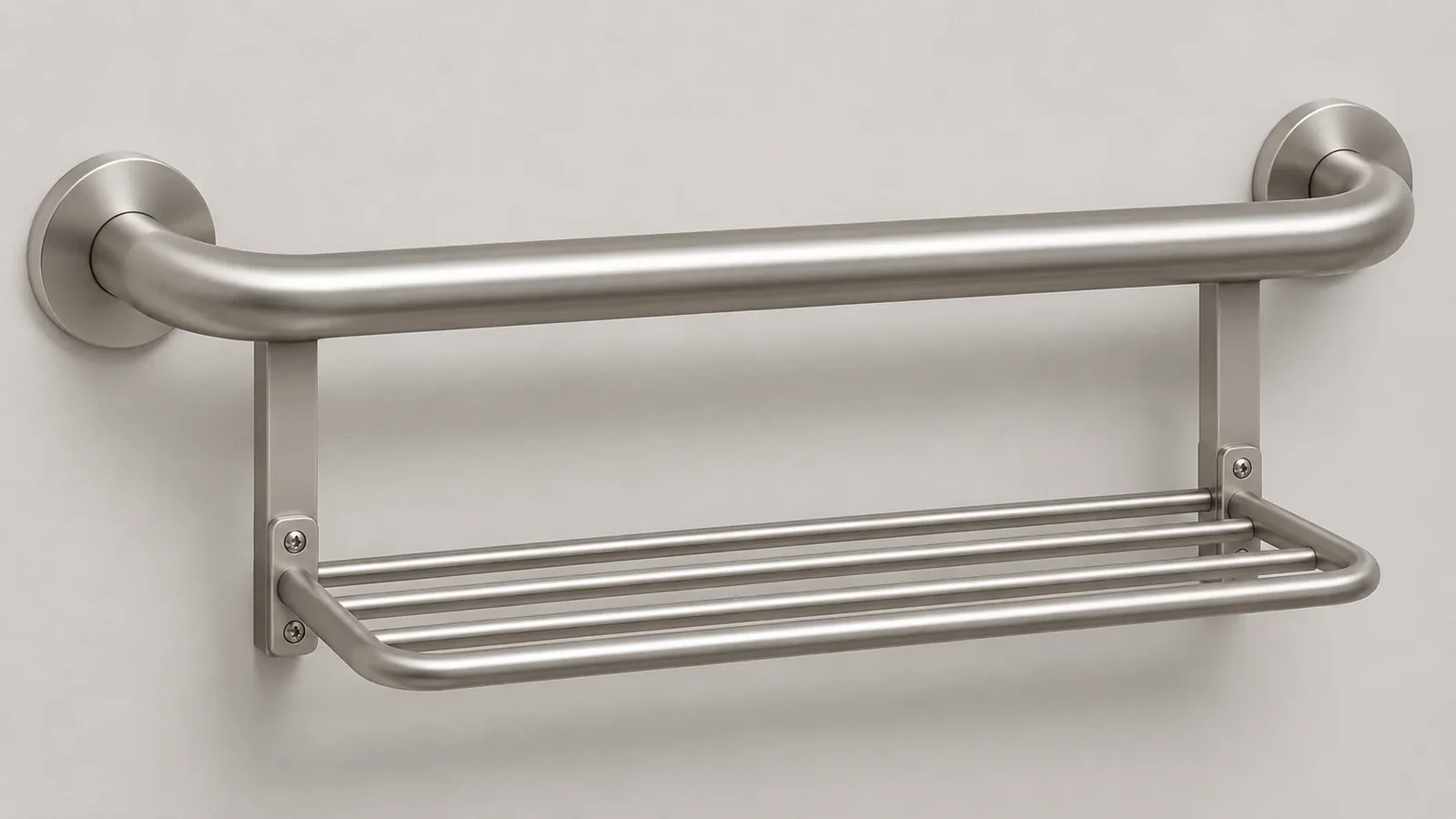
A grab bar with integrated towel bar should be reviewed as one identified product with clearly documented regions and functions. A buyer sourcing a grab bar with integrated towel bar should keep the region map specific to that model. The product title or one headline statement does not tell a buyer which portion is intended for support, which portion is an accessory, or what limitations apply to that accessory. For a grab bar with integrated towel bar, map the exact model and each physical region to the current manufacturer instructions, product page, product image, and revision. Do not assume another combined product has the same design or limitations.
One current Moen product page identifies model LR2350DBN as a Home Care grab bar with towel bar and links to an instruction sheet. That instruction sheet states that integrated accessories are not designed to support a person’s weight or leverage. This is a model-specific document boundary, not a general design rule for every combination product and not a suitability or installation decision. The buyer’s job is to keep that limitation visible across the approved product data, not to interpret where a person should grip or whether a product suits a project.
What should an importer identify in a combined product?
Begin with the supplier’s product code, revision, and exact product family. Then separate the assembly into named physical regions only as the manufacturer documents them. A single SKU connects the pieces into one sale item, but it does not necessarily mean that every rail, bar, loop, shelf, or projection has the same purpose. A buyer should preserve the maker’s own terms and avoid assigning a function based only on appearance.
For the Moen LR2350DBN example, the live product page describes the item as a grab bar with towel bar and provides a link to the instruction sheet. The linked document is titled for a grab bar with an integrated towel bar and contains the accessory limitation. The product page and instruction therefore belong together for that model context. The instruction’s printed copyright date is 2011, and its current presence as a link on the product page does not prove that the document has been revised recently. A buyer should verify the supplied document and revision for the actual product being procured.
Use a function map to keep the evidence attached to the right part of the product:
| Record field | What the buyer records | What it does not establish |
|---|---|---|
| Product identity | Supplier, model code, finish, and revision | That a visually similar item is the same model |
| Region identity | Manufacturer’s drawing callout or exact description of a physical portion | A buyer-created safety function based on appearance |
| Intended function | The purpose assigned by the manufacturer for that region | That another region shares the same purpose |
| Limitation | The exact instruction or product-document boundary and page | A new rating, test result, or compliance conclusion |
| Evidence scope | The model, configuration, and document version covered | That the evidence applies to a different model or changed assembly |
| Image correspondence | Which approved image depicts the identified product and region | That a lifestyle image validates performance |
| Open question | Supplier clarification and responsible reviewer | Permission to assume an answer |
| Change trigger | A model, geometry, accessory, document, or claim revision | Automatic continuation of prior approval |
This is an editorial buyer record, not a test protocol or a mandatory industry standard. The buyer can keep the map concise. Its purpose is to make visible whether an assertion comes from the product page, the instructions, a technical specification, an approved image, or an unresolved question. If a field is missing, mark it as missing and ask the responsible supplier rather than filling it with a guess.
How should the buyer read a model-specific instruction?
Read the instruction as a document for its named product family and revision, and capture limitations exactly enough that a product-data editor will not lose their meaning. Avoid extracting one number or one sentence from a manual and applying it to an accessory, another SKU, or a different assembly without evidence.
In the linked Moen instruction sheet, the manufacturer identifies the combined grab-bar product and states that integrated accessories are not designed to support weight leverage. That distinction is central to the buyer’s document review. The manual also contains product-specific installation and warning content. This article does not reproduce those steps or decide whether the model is suitable for any individual, room, facility, installation substrate, or code requirement. The supplier responsible for the actual item and qualified project reviewers must resolve those questions.
The Moen LR2350DBN product page currently identifies the product by model and links to its instruction sheet. The linked Moen instruction document provides the wording about integrated accessories. The relation between the page and manual is evidence for that specific product record. It is not proof that the same wording applies to every integrated towel rail, nor that the linked document is the latest document supplied with every unit.
When reviewing a manual, keep four questions separate:
- Identity: Does the document name the model or product family being purchased?
- Revision: Does the supplier confirm that this is the current document for the quote and sample?
- Region: Which physical portion does the limitation describe: the complete assembly, a named accessory, or another component?
- Claim scope: What statement does the document actually support, and what remains unaddressed?
If the manual’s product name is broader than the exact quoted SKU, request written confirmation that the document applies. A file hosted on a manufacturer’s site may remain available after a product revision; availability alone is not revision control. Retain the date accessed, the URL, the file name, and the supplier’s confirmation where relevant. For a project with formal technical, clinical, accessibility, or regulatory requirements, use the responsible qualified reviewer rather than relying on a marketing page or a general article.
Do not paraphrase a limitation into a broader or narrower promise. For example, a buyer should not turn a statement about the accessory region into a claim that the entire product is suitable for a particular task, or into a claim about other models. Preserve the manufacturer’s original scope and ask the supplier if the relationship between a statement and a physical region is unclear.
Why do one-piece construction and one SKU not settle the function question?
A combined assembly can include connected portions with different intended roles. The buyer must rely on the responsible manufacturer’s documentation to map those portions. Physical connection does not automatically transfer an instruction, purpose, rating, or limitation from one region to another.
This matters for the product record because different teams may shorten the product description differently. A sourcing record may say “grab bar with towel bar,” an image may show two horizontal rails, and a marketplace title may emphasize only the accessory. Those abbreviated references can lead separate readers to infer different functions. The approval record should connect the exact product identity, region names, instruction scope, and approved copy.
A headline number can be particularly easy to misapply. If a supplier’s product page provides a product-level specification, the buyer must not allocate that value to a separate accessory unless the supplier’s documentation explicitly does so. This guide does not reproduce the Moen product page’s headline value because the buyer question is about region/function boundaries, and the instruction’s accessory limitation is the relevant evidence. No rating in a product page should be interpreted as applying to every component unless the responsible documentation says so.
Likewise, a substantial appearance is not an intended-use statement. A lower rail may look strong; a decorative loop may look like a handle; a towel holder may be made of metal. None of those visual cues authorizes a buyer to assign a support function. Use the product’s intended-function documentation and limitations. If the product page, manual, supplied artwork, or quotation appears inconsistent, hold the claim and ask the manufacturer to reconcile the sources.
The buyer’s record should show whether the manufacturer defines function for the whole SKU or separately for physical portions. If the maker’s materials do not clarify the distinction, the correct outcome is “clarification required.” A buyer should not invent a region map from a photo, assume every bar is designed for the same use, or create a warning that is not supported by the supplier. Clear uncertainty is better than an attractive but unsafe inference.
How can product pages, instructions, and images stay aligned?
Each outward-facing asset should describe the same identified product and preserve relevant limitations. The approved instruction, product page, retailer copy, packaging, diagram, and customer-support response should refer to the same model and revision. When an image shows multiple components, the image should not imply a function the instructions do not support.
Use an asset review table before approving private-label copy or artwork:
| Asset | Review question | Approval record |
|---|---|---|
| Manufacturer instruction | Does it match the exact model and revision? | Document title, file, version/date, supplier confirmation |
| Product page | Is the model identity and description consistent with the instruction? | URL, model code, access date, open questions |
| Product image | Does the image show the approved configuration and avoid an unsupported use implication? | Image identifier and responsible reviewer |
| Packaging | Are the model and included components correctly identified? | Artwork version and pack scope |
| Retailer listing | Are function and limitations preserved without broadening claims? | Copy version and claim source |
| Customer-service response | Does it direct unresolved fit or suitability matters to the right supplier? | Approved response and escalation owner |
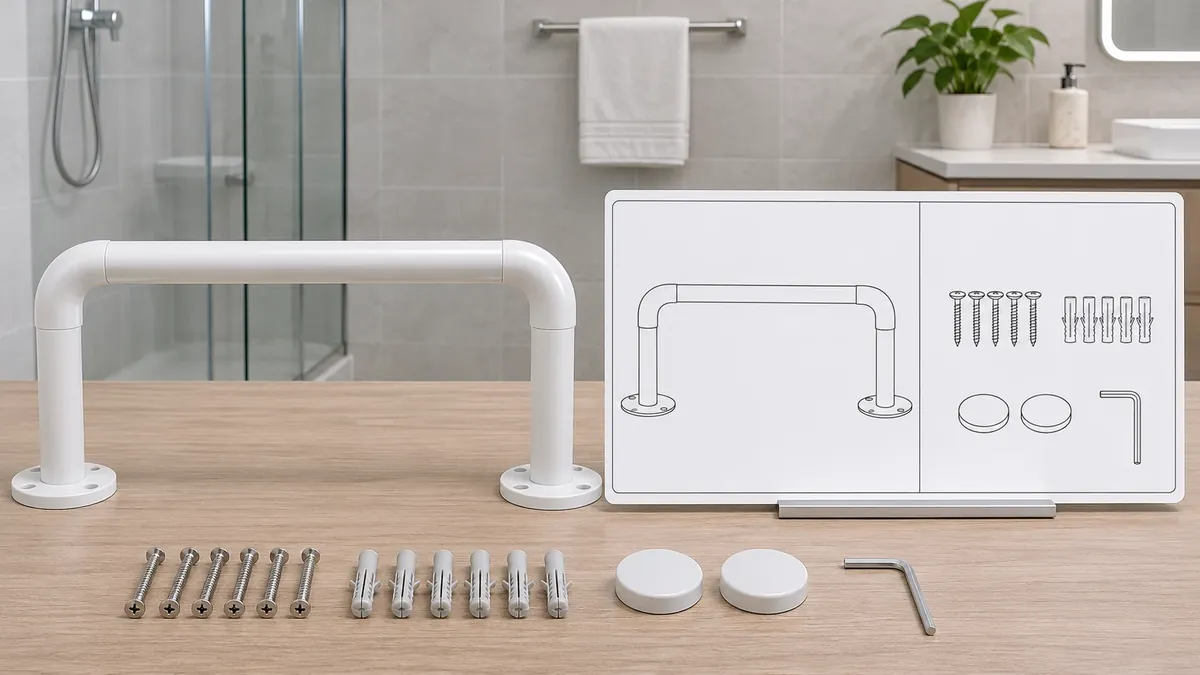
An image can be accurate as a visual depiction and still be ambiguous as a use instruction. If the image is decorative, treat it as illustrative and keep the written limitation visible in the product information. If the image labels physical regions, make sure the labels come from approved manufacturer documentation or a qualified reviewer. Do not draw an arrow and assign a safety function because a buyer thinks a particular bar looks more suitable.
One model’s current product page may link to an older instruction sheet. The buyer should ask whether the supplied units and current copy still correspond to that document. A revision review can cover the product code, physical geometry, instructions, image set, packaging, warnings, product page, and any translated materials. If a particular asset cannot be confirmed, keep it out of the approved publication set until the responsible supplier resolves the discrepancy.
The record need not overstate the work. It can say “manual linked by maker’s page reviewed for model association,” “supplier has not confirmed current revision,” or “image depicts product but does not label a functional region.” Such statements distinguish a verified fact from an assumption and help the next reviewer know what is left.
What questions should an importer send to the supplier?
Ask for information tied to the exact product and document. A targeted question helps the supplier respond without implying that the buyer has already assigned a function to a region.
Before quotation or copy approval, request:
- The complete model code, finish, and revision for the proposed combined product.
- The current instruction sheet and the specific model or family it covers.
- The manufacturer’s description of each physical region and its intended purpose.
- Any region-specific use limitation in the current instructions.
- The scope of any product-level specification, including whether it applies to the complete product or a named portion.
- The approved image set and whether any image is intended to explain function.
- A list of supplied components and accessories, with any excluded or separately supplied items identified.
- Written confirmation of whether a model, geometry, connection, instruction, or artwork change requires updated approval.
- The name or role of the supplier’s technical reviewer for open product-function questions.
The request can be recorded in a supplier-response table. For each answer, include the question, exact product identity, source document, supplier response, date, and disposition. If the supplier answers verbally, ask for a written confirmation that can be attached to the controlled product file. Keep the record available to the content team so that later listing copy does not detach a limitation from the model it describes.
During sample review, product teams should verify only the questions within their authority. A sample can help identify the physical parts and compare them with a drawing. It cannot establish clinical suitability, a tested capacity, installation safety, regulatory compliance, or user comprehension unless those matters have been evaluated with appropriate methods and qualified people. Do not use a sample display as a substitute for manufacturer instructions.
When the supplier cannot answer, select a clear response such as “awaiting instruction,” “function description not provided,” “image review pending,” or “referred to qualified reviewer.” Do not silently complete the field by referring to a similar product. If the combination is not appropriate for the buyer’s scope, stop the content or procurement decision for that product rather than inventing a generalized claim.
How should buyers control changes after approval?
An approved function map is linked to a particular model, geometry, documentation set, and content version. If any of those change, the buyer should review the affected claims and assets. A new finish may not alter function, but a revised accessory, attachment, instruction, or product code can change what a buyer is allowed to say. The project team should not assume all changes are immaterial.
Define change triggers before the first product listing is released. They can include:
- A model-code or product-family change.
- A change to the rail, attachment, accessory, or assembly geometry.
- A change to the stated intended function or limitation.
- A new instruction revision or replacement document.
- A change in included components or sale-unit scope.
- A new product image, illustration, packaging panel, translation, or retailer title.
- A new target market or use context that introduces a separate review requirement.
The buyer’s change record should identify what changed, which evidence was refreshed, which statements were re-approved, and who owns any remaining technical or compliance decision. A prior marketing approval should not be used to bypass review if the manufacturer changes its instructions. Conversely, a minor artwork revision should not be described as a product change unless it actually affects product identity or claim scope. The responsible teams should make the determination with supplier evidence.
If multiple private-label channels use the same product, keep one controlled source of truth for the model and approved claims. Channel-specific listings may use different wording, but they should not contradict the underlying intended-function map or suppress relevant manufacturer limitations. A versioned record is more useful than copying an old title into a new storefront and hoping the instruction still applies.
What can Koitor credibly contribute to a related project?
Koitor Hardware is a family-owned factory and specialized OEM manufacturer for bathroom and home-storage metal hardware. Its approved scope supports drawing or sample discussions for confirmed metal products, product-data coordination, finishing, assembly, and packaging topics where the project is within verified capabilities. That profile does not confirm that Koitor manufactures grab bars, assistive devices, or the integrated Moen product discussed here. It does not establish certified testing, clinical expertise, installation service, or accessibility approval.
For a confirmed bathroom-storage project, a buyer can share the relevant drawing or sample, intended components, finish requirement, product-data needs, packaging scope, target market, and expected quantity. Koitor can first confirm whether the requested metal product falls within its verified scope. The custom bathroom hardware overview explains the company’s broader OEM context. The private-label bathroom accessories page is relevant to approved product-data and packaging coordination, not to any unverified assistive-product claim.
The manufacturer of the exact product and qualified project reviewers retain decisions about intended support use, clinical or accessibility suitability, installation, capacity, and compliance. Koitor’s general experience with metal hardware cannot replace those responsibilities. Any supplier inquiry should state the actual product scope and avoid implying that a related metal factory is the product’s design authority.
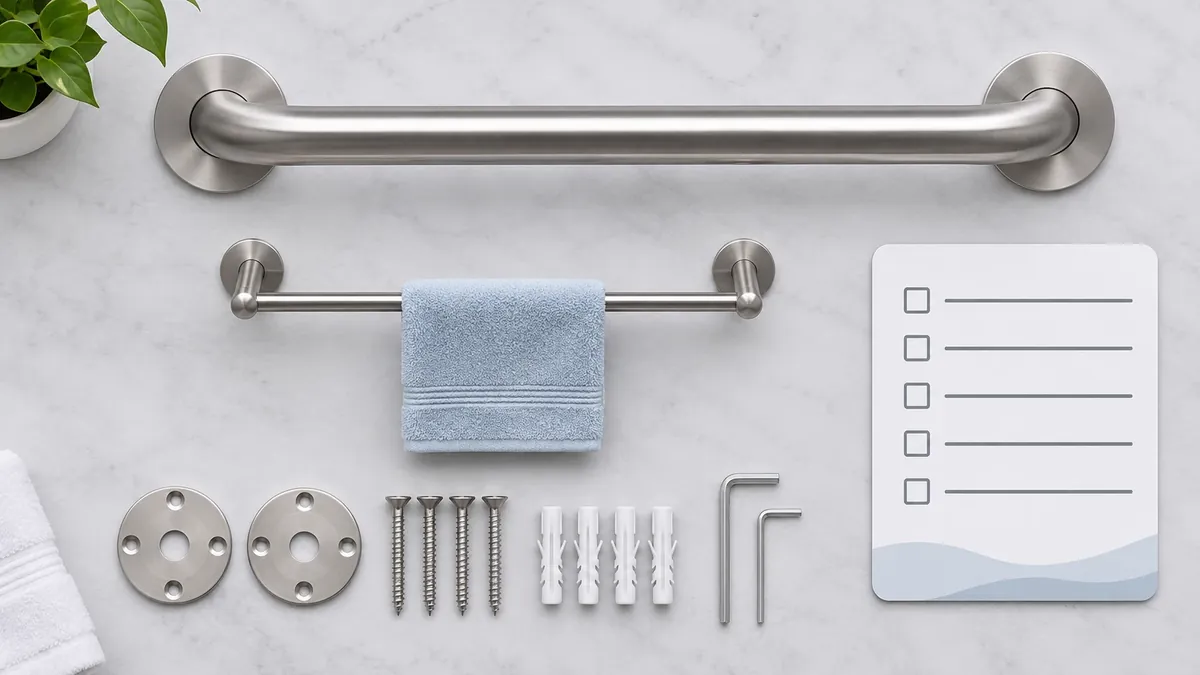
Buyer checklist before approving a combined-product record
- The exact supplier, model code, finish, and revision are identified.
- The product page and instruction are linked to that model.
- The current instruction version is confirmed with the supplier.
- Each physical region uses the manufacturer’s own description where available.
- Region-specific limitations are captured with their source and scope.
- Product-level statements are not assigned to an accessory without explicit evidence.
- Product images do not imply an unsupported function or unapproved use.
- Packaging, retailer copy, and translated assets preserve the approved limitation.
- Open clinical, safety, accessibility, installation, and compliance questions have a qualified owner.
- Model, geometry, document, or claim changes trigger a scoped review.
- No Koitor capability, test result, customer case, or certification is invented.
Frequently asked questions
Does every part of a combined grab bar and towel bar have the same intended function?
Do not assume so. The exact manufacturer’s product documents determine which regions have which intended functions and limitations. A single SKU or connected assembly is not enough to assign a purpose to each portion.
What does the Moen instruction say about the integrated accessory?
The instruction sheet linked from the LR2350DBN product page states that integrated accessories are not designed to support a person’s weight or leverage. That statement is specific to the cited document and product context; it should not be generalized to all combined designs.
Does the buyer guide decide whether the product is suitable for a project?
No. This guide describes a document-control approach. Suitability, installation, clinical or accessibility needs, and applicable project requirements must be reviewed by the manufacturer and qualified professionals responsible for the specific product and use.
Can a product-page specification be applied to the accessory region?
Not unless the manufacturer’s documentation clearly says that the value covers that region. Keep any product-level statement attached to its stated scope and ask the supplier to clarify when the manual and page are ambiguous.
What should the buyer do when the manual is old or the revision is unclear?
Ask the supplier to confirm which instruction applies to the exact model and current quote. Record the response and do not approve product claims that depend on unresolved instructions or a mismatched image.
Discuss a Confirmed Bathroom Hardware Project
For an in-scope bathroom or home-storage metal project, send Koitor the relevant drawing or physical sample, finish, product-data and packaging requirements, target market, and expected quantity. Koitor can first confirm the manufacturing scope. Assistive-product functions, installation, testing, and compliance must remain with the suppliers and qualified reviewers responsible for the exact product.
OEM / PRIVATE LABEL
Turn this sourcing guide into a product brief
Share your target product, size, finish, order quantity and packaging requirements. Your team receives a practical manufacturability review before quotation.

 English
 Español
 Português
 Français
 Deutsch
 العربية