
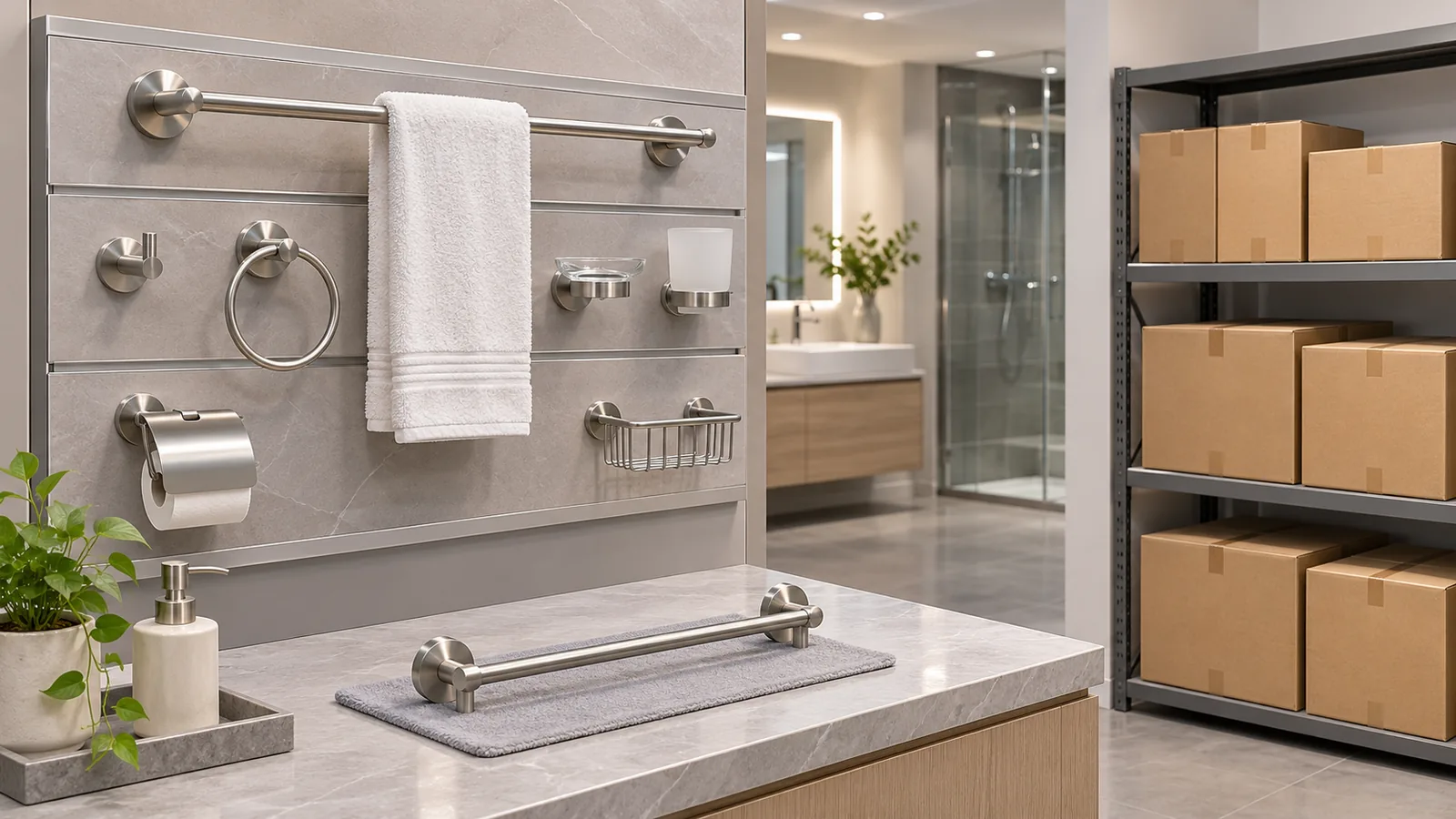
A bathroom accessory display demo stock specification should identify three things separately: the product shown to customers, the fixture or board that holds it, and the saleable SKU and package the retailer replenishes. A demo item may be unpackaged, fixed to a display board or selected to show a feature; the stock unit may have a different finish, hardware kit, label or retail package. Connect these records before a display is installed or updated, and make differences visible to the buyer and sales team.
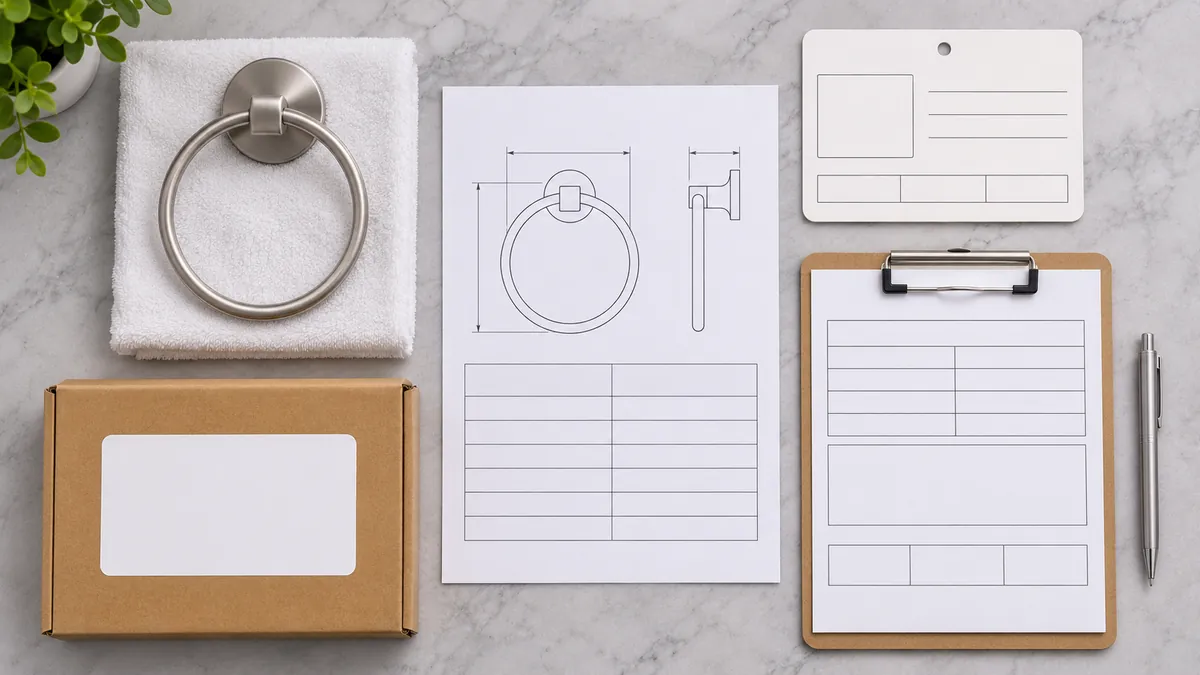
Why Should Buyers Separate the Demo, Fixture and Saleable SKU?
The word “display” can refer to the product sample, the board or stand that holds it, or the complete merchandising installation. Those items may have different owners and different purchase orders. A bathroom accessory importer may supply the product while a retailer, visual-merchandising contractor or fixture supplier provides the display structure. The distributor may also have to maintain the model/finish schedule and replenishment stock. A clear brief names each item and the responsible party.
Trade examples show that display arrangements vary. Euroshowers publishes display stands with removable hooks and, in some configurations, locations for boxed product below an item being demonstrated. VADO describes retail display support for its bathroom portfolio, while Ideal Bathrooms describes trade support for showroom and point-of-sale materials. These examples demonstrate that display programs can connect demo units and saleable stock in different ways. They do not prove that every retailer uses those formats, that a particular configuration increases sales, or that Koitor supplies display fixtures.
Separating the three parts prevents avoidable confusion. A customer may touch or operate a demo unit while the saleable item remains boxed. A replacement display sample may use a new finish but keep the same product family. A fixture hole pattern can be specific to one board and may not match a real installation surface. A price label, QR code or product card may need to point to the saleable SKU rather than the demo unit’s internal identifier.
| Display role | Identify | Owner to confirm | Common mismatch to prevent |
|---|---|---|---|
| Demo product | Model, finish, revision and features shown | Product supplier and category buyer | Sample does not represent the current saleable model |
| Display fixture | Board, bracket, rail, mounting interface and position | Fixture supplier or retailer project owner | Demo mount is mistaken for a real-wall installation kit |
| Saleable stock | SKU, included parts, retail package and replenishment unit | Buyer, distributor and retailer operations | Stock pack or finish differs from the displayed item without disclosure |
This article is about the handoff among those roles. For a product-specific retail basket fixture or price-arm, use the relevant wire display basket specification and scan-hook and label-arm interface guidance. They address hardware features, not the full demo-to-stock identity matrix.
What Information Belongs on a Bathroom Accessory Display Schedule?
Begin with the collection and the exact model the shopper will see. Record the product family, model or SKU, finish, revision, intended display position and any variant that changes the shopper’s decision. If one demo represents several sizes or finishes, note which parts are actually visible and how the alternatives are identified. Do not assume a sample represents a full range simply because it shares a family name. A bathroom accessory display demo stock specification should also show how the sample maps to the saleable package and replenishment record.
Next define the demo unit itself. State whether it is a complete product, a cutaway, a nonfunctional visual sample or a representative example. Name the feature the display is meant to show: finish, storage shape, mounting interface, adjustment or another feature. Where a sample is physically modified for display, keep the modification distinct from saleable product specifications. Do not use a modified unit to imply load, water, electrical or installation performance that has not been verified.
The display schedule should identify the fixture supplier and interface without silently transferring fixture design responsibilities to the product maker. Record board or stand location, mounting method, available access, fasteners or adapters actually specified, and any drawings the fixture supplier provides. The fixture’s holes and fasteners may be intended only for a display panel, not a customer’s bathroom wall. A display should not be presented as installation guidance unless the actual installation system is approved for that purpose.
Finally link the demo to the sellable item. Record the saleable SKU, finish and revision, included components, retail packaging reference, barcode or product-card owner, stocking location, replenishment unit and order multiple when applicable. If the displayed unit and boxed unit differ, describe the difference and decide where it must be disclosed. A demo that omits screws, pads or packaging can still be useful, but the buyer should avoid implying that the shopper receives exactly what appears on the fixture unless that is true.
How Can Buyers Coordinate the Product-to-Fixture Interface?
The product supplier can provide product identification and the agreed sample interface information. The fixture supplier should confirm its own structure, board interface and installation method. The distributor or retail project owner coordinates the final display position, pricing, SKU mapping and replenishment process. These are proposed ownership categories; the parties should assign names for the actual project.
For each demo position, keep the reference chain clear: product model/revision → demo sample identity → fixture position/interface → saleable SKU/package → stock location. The chain can be a schedule, spreadsheet or project submittal. It does not need a complex software system. It does need enough information for someone in sales or operations to answer: “Which exact product do I order if a customer wants this one?”
If a display uses the real product’s mounting holes, confirm whether the sample has a display bracket, adapter or altered fastener. Record the relevant drawing, dimensions and responsible supplier. Do not infer from the display board that the product has been approved for wall substrates, anchors or load conditions. A showroom wall is not automatically a representative installation surface. If a display uses live water, electrical power or moving parts, qualified project personnel must define the applicable safety and operating controls; this guide does not specify those designs.
Use a mock-up to inspect the physical presentation before making a larger display commitment. Check that the item is visible from the shopper’s likely approach, that labels do not cover the product, and that saleable packaging can be removed without disturbing the demo. These are shopper-flow observations, not measured conversion claims. Agree what needs to be accessible for handling and who resets or replaces an item after a customer interaction.

How Should Display and Saleable Stock Changes Be Controlled?
A display becomes confusing when the product changes but the fixture labels, pricing, QR destination or boxed stock do not. Treat a changeover as a cross-reference update rather than simply swapping the sample. Before replacing a demo, determine whether the new item has the same model, finish, mounting footprint, included parts and retail package. If any of these differ, update the relevant schedule and obtain the appropriate approval.
Typical change triggers include a new finish, revised product dimensions, a new SKU, discontinued packaging, a changed included hardware kit, a different fixture board, revised barcode artwork or an expired promotional label. Not every change requires replacing the entire display. The buyer should identify the affected pieces and the person who approves them. Keep the old demo’s disposition clear: return, retain for comparison, recycle or scrap under the organization’s own policy.
Keep product information and display artwork under appropriate ownership. The manufacturer or product supplier confirms the product facts it has agreed to provide. The retailer or brand owner controls price, offer, merchandising copy and final customer presentation. A display fixture supplier owns the mechanical information for its fixture. If another party prepares a QR code or digital product page, that owner should confirm the destination and content version. Do not presume the factory owns the retail platform or all display messages.
For a collection rollout, run a final reconciliation before shipment or installation:
- compare every displayed model and finish with the approved assortment schedule;
- match each demo sample to a fixture position and a saleable SKU;
- check that any sample modification is described and does not imply a false feature;
- confirm package images, included parts and replenishment units with stock records;
- check labels and digital links against the current product information owner;
- record who accepts the fixture structure, its fixing and its installed position; and
- archive the superseded display schedule and identify remaining old samples or stock.
This reconciliation is not a structural fixture test or a promise that the display will remain accurate indefinitely. It is a practical handoff. If product details change after installation, the party responsible for the display program should decide how to update physical samples and digital information.
What Does a Useful Demo-to-Stock Matrix Look Like?
A concise matrix might use one line per display position. Add enough detail to distinguish a product from its fixture and stock pack; avoid entering confidential supplier costs into a document shared broadly with retail staff.
| Field | Example entry | Decision it supports |
|---|---|---|
| Collection/position | Collection name and board location | Shows where the demo belongs |
| Demo identity | Model, finish, revision and sample type | Identifies what shoppers actually see |
| Demonstrated feature | Finish view, storage form or other approved feature | Keeps the display purpose clear |
| Fixture reference | Supplier, drawing, board position and interface | Routes structure questions to the right owner |
| Saleable item | SKU, package revision and included component set | Connects interest to an orderable unit |
| Stock/replenishment | Location, order unit and responsible team | Supports restocking without guessing |
| Difference disclosure | Any demo-to-boxed-product difference | Prevents misleading representation |
| Change trigger | What event requires schedule or label review | Keeps old information from persisting unnoticed |
For example, a hypothetical towel-bar sample could be attached to a supplier display board, while the sellable unit is identified by a separate finish-specific SKU and retail carton. The matrix should specify the sample revision, board position, fixture fastener interface, saleable packaging and replenishment owner. It should not assert that the board’s fasteners or wall structure are suitable for a bathroom installation. The example is a planning illustration, not an actual Koitor display program.
What Should Buyers Check Before a Display or Assortment RFQ?
Record the bathroom accessory display demo stock specification with the fixture interface, displayed sample and replenishable SKU.
- Identify the target shopper, retail channel and collection scope.
- List each intended demo model, finish and revision.
- Define whether each sample is complete, representative or modified.
- State the feature that each display is meant to demonstrate.
- Name the display fixture supplier and request its interface drawing.
- Clarify who designs, installs and accepts the display structure.
- Link every demo position to a saleable SKU and package revision.
- Identify who owns price labels, product claims, barcode data and QR destinations.
- Define replenishment quantity, stock location and responsible buyer team.
- Record sample return, update and end-of-life decisions.
This checklist helps the buyer request comparable proposals. Fixture supplier quotations should describe the fixture scope. Product supplier quotations should describe the hardware sample and saleable product scope. If a single company is asked to coordinate both, the contract should make the included work explicit. A lower price may omit installation, sample preparation or replenishment support; compare deliverables rather than price alone.
Koitor Hardware is a family-owned custom metal hardware manufacturer focused on bathroom and home-storage products. Its approved metal product development, drawing/sample coordination, finishing, assembly and packaging experience can help clarify the product information a buyer may need for a display brief. No showroom fixture manufacturing, retail interior design, merchandising engineering or display installation service is claimed. The buyer should confirm Koitor’s exact role for a specific inquiry, while the display vendor and retailer retain their respective fixture and merchandising responsibilities.
Frequently Asked Questions
Is a display sample the same as a saleable unit?
Not automatically. It may be unboxed, modified or configured to show a feature. Link the sample to the saleable SKU and disclose relevant differences.
Should the product supplier design the retail fixture?
That depends on the project. Name the actual fixture designer and installer, and have that party approve its structure and fixing method. Do not infer fixture design capability from a metal product sample.
What if one demo represents several finishes?
Record which finish is physically shown and how customers can identify the other saleable variants. Keep labels, package images and SKU data aligned.
Can a demo mounting arrangement be used as installation guidance?
Only if it is the actual approved installation system and the relevant instructions say so. A display board may use a different interface from a real bathroom wall.
Who updates the display after a product revision?
The buyer or retail program owner should coordinate the change with the product supplier and fixture vendor. Update the sample, schedule, stock and customer-facing information as needed.
Plan a Bathroom Hardware Assortment Handoff
Share the intended models, finishes, drawings and package requirements to discuss product development within Koitor’s confirmed metal hardware scope.
OEM / PRIVATE LABEL
Turn this sourcing guide into a product brief
Share your target product, size, finish, order quantity and packaging requirements. Your team receives a practical manufacturability review before quotation.


 English
 Español
 Português
 Français
 Deutsch
 العربية