In an SKU vs UPC comparison, an SKU is an organization’s internal stock-keeping code, while “UPC” commonly refers to a retail product identifier associated with a barcode symbol. A retailer can assign its own SKU to an unchanged trade item, and a supplier can maintain a separate factory part code. These references can point to the same product record without becoming interchangeable. Buyers should map who owns each code, what product or package it identifies and which approved data may be printed on supplier artwork. When evaluating sku vs upc, buyers should record the specific decision and the evidence needed to approve it.
Related buyer references: mixed SKU metal hardware carton tally et pantry basket importer SKU planning. The practical answer to sku vs upc depends on the specified part, method and acceptance evidence.
What is the practical difference between an SKU and a UPC?
An SKU is an internal reference used by an organization to manage stock. It is defined by the organization using it; another company can use a different SKU for the same physical trade item. A factory may also have an internal part code. That code can identify a component or assembly in the supplier’s records, but it does not become a retail identifier merely because it appears on an invoice or a product label.
“UPC” is commonly used to refer to a retail identifier associated with a machine-readable barcode. Buyers should distinguish the identifier value from the barcode symbol that encodes a value. GS1 explains that a GTIN is an identifier and a barcode is a way to represent data for scanning. The exact identifier assignment and product scope belong to the responsible data owner and relevant GS1 rules; this article does not allocate a number or interpret retailer-specific compliance requirements. See the GS1 US guide to UPCs et GS1’s explanation of GTINs, barcodes, EANs and UPCs.
| Reference | Who usually controls it? | What it helps identify | What it does not establish on its own |
|---|---|---|---|
| Retailer SKU | The retailer or selling organization | The item as represented in that organization’s stock system | A GS1 identifier or a code used by every other organization |
| Supplier or factory item code | The supplier or manufacturer | A part, assembly or revision in the supplier’s system | The buyer’s stock code or an authorized retail identifier |
| UPC/GTIN-related identifier | The responsible product-data owner under the applicable system | A defined trade item or product/package level, as assigned | The retailer’s local stock code or proof of the package artwork’s correctness |
| Barcode symbol | The artwork or label producer using approved data | A machine-readable representation of an encoded value | Proof that the underlying number is valid, assigned or correctly scoped |
The word “UPC” is used in everyday business communication in more than one way. A buyer may mean a number, a barcode printed on a package, or the overall retail-identification requirement. In a purchase order or artwork brief, ask which one is meant. That small clarification prevents a factory code, retailer SKU and retail identifier from being placed into the same field.
Why can two retailers assign different SKUs to the same product?
Each retailer can organize inventory using its own internal structure. One retailer may encode product family, finish, size or sales channel in its SKU. Another may use a different pattern or a shorter code. If both organizations sell the same unchanged trade item, their internal SKUs can still differ because the codes belong to their individual systems.
This is not necessarily a product difference. It may be only an administrative mapping. A retailer’s internal code does not have to be printed on a supplier’s carton unless the buyer’s logistics or labeling instructions require it. Conversely, a supplier’s item code may appear on a packing list or factory label without serving as the retailer’s consumer-facing product identifier. The buyer should state the intended role and label location for every code.
Use a simple fictional example that is clearly marked as illustrative:
| Organization | Example internal reference | Meaning in that organization |
|---|---|---|
| Usine | KT-EXAMPLE | Supplier’s internal part or product reference |
| Retailer A | A-EXAMPLE | Retailer A’s stock-keeping code |
| Retailer B | B-EXAMPLE | Retailer B’s stock-keeping code |
| Authorized product-data owner | [approved trade-item identifier] | Placeholder only; insert the authorized value after owner confirmation |
The example codes above are not assigned identifiers, do not represent a real product, and must not be converted into scannable barcode artwork. The placeholder is intentionally not a number. A supplier should never invent a UPC-looking string or produce a symbol from an unapproved value just to fill an empty artwork field.
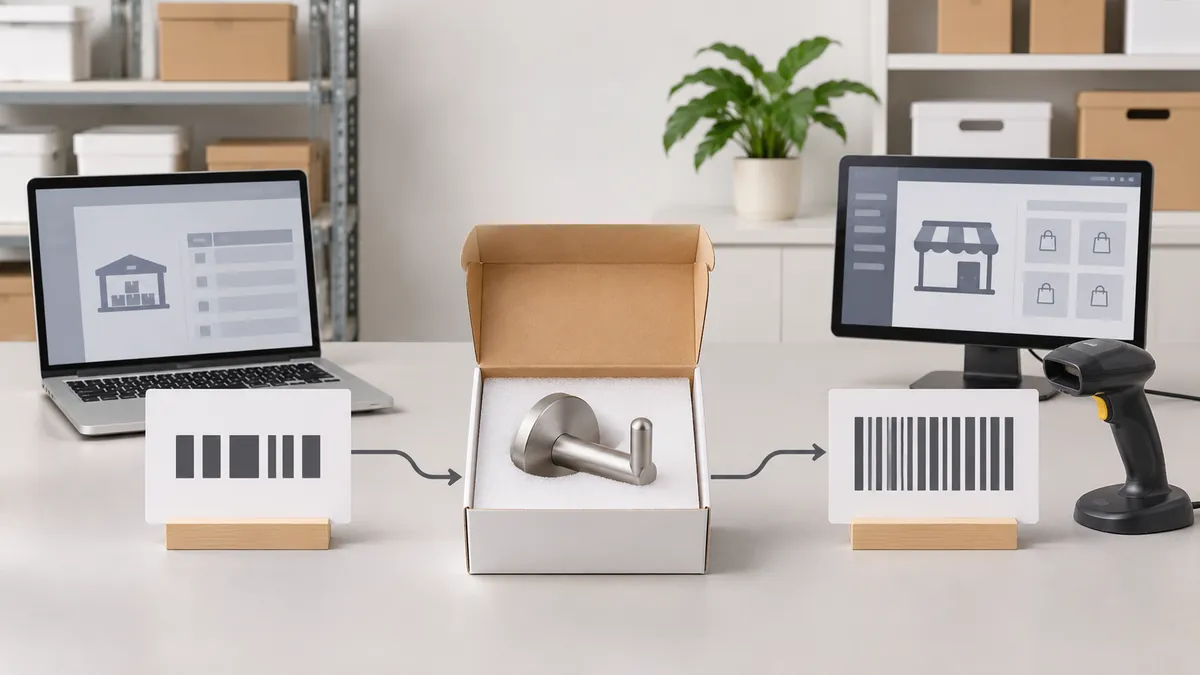
The crosswalk helps each organization reconcile its own records. A purchase order can list the buyer’s SKU alongside the supplier’s item code, while a separate field stores the authorized trade-item identifier when the buyer has supplied and approved it. If one item is packed into several different order units, cartons or multipacks, the data owner must state which identifier and code apply at each level. Do not infer those assignments from a spreadsheet column title alone.
How should product variants and packages be mapped?
Start by defining what a row represents: a model, a finish variant, a sellable unit, a kit or a multipack. These are not automatically the same scope. A bathroom organizer offered in several finishes might use one internal family code and distinct retailer SKUs. The responsible identifier owner determines how each trade item is represented under its system. This article cannot prescribe whether a particular color, size or pack count needs a separate identifier.
A controlled crosswalk should keep the levels separate:
| Product or package scope | Factory reference | Buyer’s internal SKU | Authorized trade-item identifier | Approval source |
|---|---|---|---|---|
| Illustrative finish A, one sellable item | KT-EXAMPLE-A | A-EXAMPLE-A | [approved value supplied by data owner] | Buyer-approved product record |
| Illustrative finish B, one sellable item | KT-EXAMPLE-B | A-EXAMPLE-B | [confirm scope and value] | Buyer-approved product record |
| Illustrative multipack | KT-EXAMPLE-PACK | A-EXAMPLE-PACK | [confirm package-level assignment] | Data owner and applicable system |
These entries are examples of a record structure only. They do not say that every finish or multipack must receive a new identifier. A buyer must consult the data owner and the applicable identifier rules. What the example does show is that a supplier’s item code, a retailer’s stock code and an authorized retail identifier should occupy separate fields with explicit ownership.
For a private-label product, the buyer may control the brand-facing data while the supplier maintains manufacturing references. If a finish changes, the internal production code may change even when the buyer has not yet decided whether the sellable trade item changes. If the sales package changes from a single item to a multipack, the relevant identifier scope may also need review. The drawing, bill of materials, product-data record and packaging artwork should all refer to the same approved configuration.
Do not let a barcode image become the source of truth. A graphic can look plausible while encoding the wrong value, using the wrong product scope or carrying an outdated revision. Keep the authorized identifier value in a controlled data record. The artwork file should be generated or checked against that value by the designated owner, and the approved proof should be linked to the correct product and package revision.
What information belongs in a code crosswalk?
A useful crosswalk records one relationship per product or package scope. At minimum, include the internal reference, owning organization, description, revision, applicable product or package level, current status and source of the approved value. If a code appears on artwork, the record should also identify the artwork revision and approval date. If a retailer sends its SKU, preserve it exactly as supplied; do not normalize, truncate or reformat it without authorization.
Useful fields include:
- Owner: factory, importer, retailer, brand or product-data owner.
- Code type: supplier part code, internal SKU, authorized trade-item identifier, carton reference or another defined value.
- Scope: component, finished item, finish/size variant, kit, multipack or shipping unit.
- Description: plain-language item name and distinguishing variant details.
- Revision: the drawing, label or product-data version associated with the record.
- Record state: proposed, approved, superseded or otherwise controlled by the owner’s system.
- Source: purchase order, approved product master, buyer instruction or other controlled record.
- Label use: where the value may appear, such as carton, unit label, invoice or supplier packing list.
- Approval responsibility: who confirms the code and the artwork before production.
The table should not mix different code types in one field called “SKU/UPC.” That shorthand conceals ownership and scope. A receiving team may need the buyer’s SKU for warehouse intake; a consumer-facing package may require a retail barcode; a factory may need its own part number to release work. Each field supports a different task. Put the exact requested value and its use into the purchase order or controlled label specification.
If the buyer uses a master SKU for a product family and separate child codes for variants, document that hierarchy. A supplier should not assume the pattern determines which value belongs on a retail unit or master carton. Carton identification is a separate logistics question; see the mixed-SKU master-carton identification guide. For a broader private-label product-family design, see private-label bathroom finish-family SKU architecture.
How should a buyer approve a barcode or package label?
Approval should begin with the data, not the appearance of the bars. The buyer or designated product-data owner supplies the correct authorized value and confirms the item or package level it represents. The artwork operator then uses that approved value in the designated symbol and text, follows the buyer’s label layout instructions and returns a proof for review. The reviewer checks both the data and its context: product identity, finish, pack count, revision and placement.
Do not ask a factory to “make a UPC” without providing a clear owner and approved data source. A supplier may be able to place buyer-provided information into artwork or a label, but that does not make the supplier the identifier owner. The responsibilities for assigning a value, creating the barcode symbol, testing scan quality, approving the final artwork and meeting retailer specifications may belong to different parties. The purchase order should identify who does each step.
Use a release checklist:
- Confirm the product and package configuration shown on the proof.
- Verify each retailer SKU against the retailer’s approved record.
- Verify any retail identifier against the designated product-data owner’s approved source.
- Confirm that the identifier scope matches the depicted item, variant or pack.
- Check that the symbol and any human-readable text represent the approved value.
- Confirm placement, quiet zones, size or other technical requirements from the retailer or applicable standard owner.
- Mark the final proof with a revision and approval record.
- Prevent obsolete artwork from being reused after a product or packaging change.
This is a workflow outline, not a universal barcode acceptance specification. Specific symbol formats, print requirements and retailer rules require current, authorized guidance. If scan verification is required, use the agreed process and evidence. A screen preview is not a scan test, and an image that visually resembles a barcode does not establish that it decodes correctly.
What are common SKU and UPC mapping mistakes?
One common mistake is treating an SKU as a universal code. The same string can be meaningful only inside the organization that created it. Another is treating the factory’s item code as the buyer’s SKU because it appears in a quote. A purchase order should name the code owner and the exact field expected on each document or label.
A third mistake is confusing a barcode symbol with the value it carries. A symbol is a visual encoding. The underlying product identifier has a defined owner and scope. A designer can place a barcode-looking graphic in artwork without proving that it represents the correct value. Use approved data, a controlled artwork process and the required verification method.
A fourth mistake is copying a code from an earlier product and changing only the description. The old value might refer to another finish, pack size or product revision. A fifth is assuming that every color, size or multipack always gets a new identifier. That decision depends on the applicable identifier system and the product-data owner. Buyers should document the actual rule for the relevant product instead of generalizing from a different assortment.
Another failure occurs when cross-functional records disagree. The product team may approve a finish change, while the packaging file still shows the previous SKU. The factory could then pack a correct item into an incorrectly labeled unit. A revision-controlled crosswalk and a preproduction proof review can expose the mismatch before release. If a code changes, update the purchase order, product master, artwork and logistics instructions that rely on it.
Finally, do not treat code matching as proof that the physical item is correct. A label can be accurate while the product inside has the wrong finish or configuration. Conversely, a physically correct item can carry an outdated code. The buyer needs both product identification and product-quality controls, each with its own record and responsible owner.
How can OEM buyers coordinate codes with a custom product?
Koitor Hardware is a family-owned custom metal hardware factory. During a relevant bathroom or home-storage hardware project, a buyer can provide drawings or a physical sample, product variants, buyer-owned identifiers, label instructions and the required artwork approval path. Approved project work can include product customization, assembly and packaging preparation depending on the defined scope. The factory’s internal references should remain distinct from retailer-controlled SKUs and data-owner-controlled retail identifiers.
For a trial order, establish the code crosswalk before the product label or carton artwork is released. Share the current item list, finish names, pack quantities, unit-level identifiers where applicable, buyer SKUs and supplier codes. State which values may appear on the product, retail package, carton and shipment documents. If the buyer has not assigned a value or confirmed its scope, mark the field as pending and exclude it from final artwork until authorized data arrives.
This is especially important for a small-batch private-label launch, where the product and packaging may change together after sample feedback. A finish revision could change the factory code; a pack-size change could affect the retailer record; a brand update could alter the artwork. Maintain one controlled release package that connects the approved product sample, drawing revision, bill of materials, code map and label proof. The supplier should not infer a new retail identifier solely from a change in a factory part number.
If the project includes several retailers, do not force their internal stock codes into a single universal SKU field. Preserve each retailer’s own value and map it to the shared product record and relevant supplier reference. Confirm whether carton labeling differs by retailer or shipment. The actual logistics and data-owner instructions determine the required label set; the general mapping example does not decide that for a live order.
Buyer checklist before submitting product-identification data
How should a crosswalk handle changes and multiple retailers?
A useful product crosswalk is maintained as a relationship, not copied as a one-time list. When a finish, package quantity, label or drawing revision changes, identify which records are affected and who has authority to approve each update. A factory may create a new internal part reference to control a changed component. That action does not automatically assign or replace a retailer SKU or a trade-item identifier. The owner of each system must confirm the effect in its own records.
For a multi-retailer program, keep separate columns or linked tables for each retailer’s internal SKU. Do not overwrite Retailer A’s value with Retailer B’s value because both sell the same item. A common product record can connect them to a supplier item code and to any authorized retail identifier that the data owner confirms. If retailers use different package variants or assortment configurations, the product owner should define the relationship rather than assuming they are identical.
Change control can use a short release sequence: record the proposed change, identify affected item and package levels, request confirmation from the relevant data owner, update the crosswalk, revise the artwork and purchase instructions, then approve the proof before production. If a field is still pending, mark it pending and prevent it from being treated as an approved label value. This is especially important when a product or package change happens between a sample and a repeat order.
Archive superseded records for traceability, but make the current approved row obvious to the teams preparing quotes, labels and cartons. A duplicate-looking entry with no status can lead a supplier to select the wrong code. Link the approval source and effective revision. A code table is only useful when a user can tell which value is current and who can authorize a correction.
None of this process determines which identifier should be assigned to a real item. The data owner must apply its current system rules. The purpose of the crosswalk is to preserve those decisions accurately as product information moves between the brand, retailer, importer, manufacturer and packaging provider.
Buyer checklist before submitting product-identification data
- List each code exactly as provided and identify the organization that owns it.
- Separate supplier item codes, buyer SKUs, authorized trade-item identifiers and carton references.
- Define whether the row represents a component, finished unit, variant, kit or multipack.
- Link each code to the correct product description, finish, package level and revision.
- Identify who is authorized to assign or confirm the retail identifier.
- Supply approved values before artwork production; never ask a supplier to invent them.
- State where each code may appear: unit label, retail box, carton, packing list or another record.
- Confirm who creates the barcode symbol, who checks the proof and what verification is required.
- Reconcile product, artwork, purchase order and shipment records after any change.
- Keep obsolete codes and superseded proofs from being reused.
- Identify the retailer-specific labeling or scanning requirements from current approved instructions.
- Treat the barcode symbol and the underlying identifier as related but different data objects.
Foire aux questions
Can two retailers use different SKUs for the same item?
Yes. An SKU is internal to the organization that uses it. Two retailers may assign different stock codes to the same unchanged trade item. Their values can map to the same product record without becoming interchangeable.
Is an SKU the same as a UPC?
No. An SKU is an organization’s internal stock reference. “UPC” commonly refers to a retail identifier associated with a barcode symbol. Verify which value, symbol or labeling requirement a buyer means before preparing artwork.
Is a UPC the barcode itself?
In everyday conversation, people may use “UPC” to refer to either the identifier or the printed barcode. Technically, the value and the symbol that represents it are distinct. The responsible data owner should supply the approved identifier and scope.
Should every finish variant have a separate identifier?
This article cannot establish a universal assignment rule. The product-data owner must apply the relevant identifier system and retailer requirements to the actual sellable items and packages. Do not assume a particular answer from the finish name alone.
Can the factory print its part number under a barcode?
Only if the buyer’s approved artwork and labeling instructions call for that information and the barcode encodes the approved value. A factory part number does not become a retail identifier because it is printed below bars.
What should I send to map an OEM product code?
Provide the current product and package list, variants, buyer-owned SKUs, authorized retail identifier values, supplier references, label locations and artwork approvals. State who owns each value and who resolves unanswered assignment questions.
Source note
Definitions and distinctions are grounded in GS1 US’s UPC guide et GS1 support’s explanation of GTINs, barcodes, EANs and UPCs. The fictional codes in this article are not real assigned identifiers and are not barcode payloads. Related Koitor pages cover EAN vs UPC, mixed-SKU carton identification and private-label finish-family SKU architecture.

Discuss a sku vs upc project with Koitor Hardware
Share the relevant drawing, sample, specification and buyer decision. Koitor can review the metal hardware project scope while you confirm any component or measurement detail with its responsible supplier.
Fabrication pour compte de tiers / Marque de distributeur
Transformez ce guide d'approvisionnement en cahier des charges
Indiquez-nous le produit souhaité, ses dimensions, sa finition, la quantité commandée et vos exigences en matière d'emballage. Votre équipe recevra une analyse pratique de la faisabilité de la fabrication avant l'établissement du devis.

 English
 Español
 Português
 Français
 Deutsch
 العربية